Down-payment planner

Know the month
you get the keys.

Plotwise turns “someday” into a date. Tell it the home you want and what you can put away, and it shows the exact month your down payment is ready, then keeps that date honest every week.

Keys readyPW-01 — —
5 inputs1 date0 ways to move your money

01 · The planner

Move a slider. Watch the date move.

What if
Your down payment is ready in——
Goal—
Interest earned—
Closing costs—
To buy in 2 years—

Estimates only. Interest compounds monthly. Closing costs, estimated at 3% of the price, are shown separately and are not part of the goal.

02 · How it works

From “someday” to a date in four steps.

  1. 01

    Pick the home

    Price, area and the percent you want to put down. Not sure yet? Start from a typical price in your city and adjust later.

    About 2 minutes
  2. 02

    Connect your savings

    Link the accounts you save in. Plotwise reads balances and the rate. It cannot move a cent.

    Read-only · revoke anytime
  3. 03

    Get your month

    We project month by month with compounding and your real deposits, then circle the first month you cross the goal.

    Recalculated every Monday
  4. 04

    Stay on track

    A bonus pulls the date in, a big month pushes it out. You see it within a week, with one suggestion, not ten.

    One nudge a week, max

One plan, month by month

From the kitchen table to the front door.

A sample plan from the planner above, in five moments. The date moves a little along the way, and you hear about it every Monday.

  1. Month 01
    A woman at a kitchen table tapping numbers into a calculator, a notepad of figures beside her
    One honest numberFive inputs at the kitchen table, and “someday” becomes a month.
  2. Month 12
    A modern single-storey house with dark walls, tall glass doors and a freshly mowed lawn
    The house gets a shapeBig windows, a patch of lawn, and a price you already plugged in.
  3. Month 28
    A couple walking into the bright, empty hallway of a house, looking up at the ceiling
    The first viewingYou walk in already knowing what you can put down.
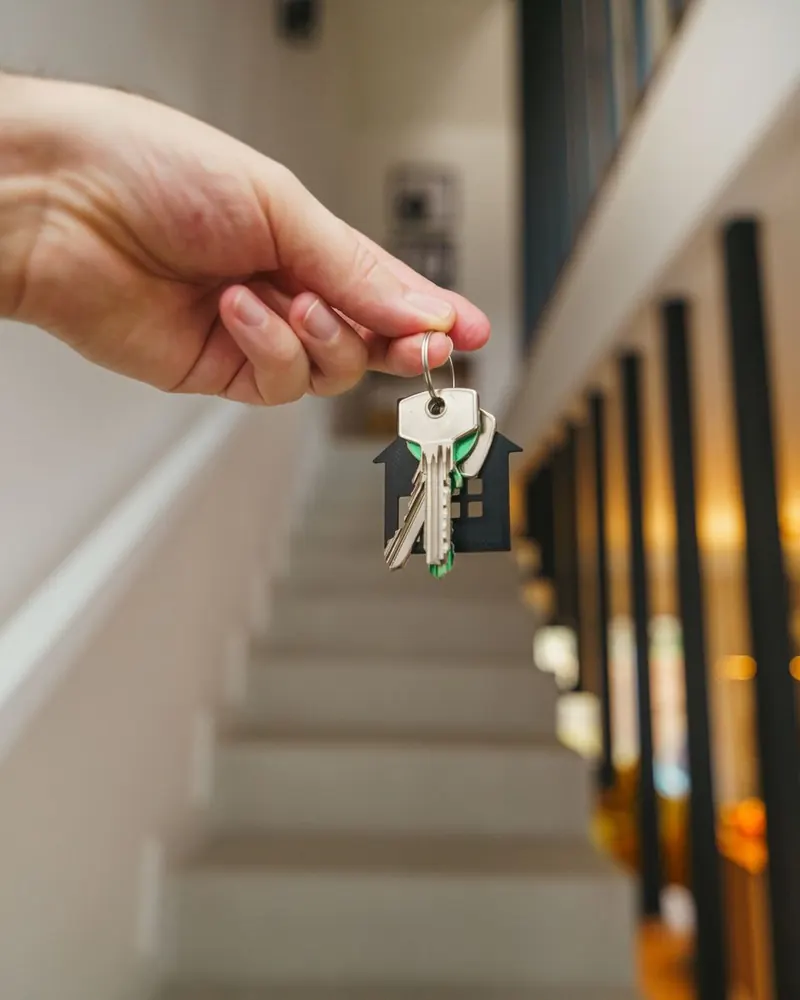
  4. Month 31 · Keys
    A hand holding a set of house keys on a house-shaped keyring above a staircase
    Keys monthThe month Plotwise circled on day one, give or take a bonus.
  5. Week 1
    A couple sitting on the floor of an empty white room, surrounded by cardboard moving boxes
    Boxes, then a SaturdayClosing costs had their own bucket, so the deposit stayed the deposit.

03 · Features

Built for the long, boring middle.

Saving for a home takes years. Plotwise is designed for month 14, not just day one.

A real date, not a range

“March 2028” is easier to plan a life around than “two to four years.”

What-if toggles

See what a raise, a side income or one skipped trip does to your month before you commit.

Closing-cost buffer

A separate bucket for the 2–5% due at signing, so the deposit you saved stays the deposit.

Couples mode

Two savers, one goal. Each of you sees the shared month without seeing each other’s accounts.

Rate watch

If your savings rate drops, you see what it costs in months, not just in basis points.

Assistance check

Flags first-time buyer programs you might qualify for in your state, so you can ask a lender about them.

04 · Security

Read-only, by design.

Plotwise can see your balances. It can never move your money. That line is drawn in the architecture, not in a settings page.

Plotwise can see

  • Account balances
  • Your savings rate
  • Deposits, by month
  • Account nicknames

Plotwise can never

  • Move or withdraw money
  • Open credit in your name
  • See your bank password
  • Sell or share your data
Read-only tokensBank links that only allow viewing.
Encrypted at every stepAES-256 at rest, TLS 1.3 in transit.
Paid by you, not adsSubscriptions are the whole business.
Delete in one tapAccount and history erased within 30 days.

Small numbers that keep a big goal moving.

52Date check-ins a year, every Monday morning.
5Inputs between you and your first date.
0Ways for Plotwise to move your money.
1Nudge a week, at most. No guilt trips.

05 · Pricing

Free to plan.
A few dollars to stay on track.

For the curious

Planner

$0

The calculator on this page, saved.

  • One saved plan
  • What-if toggles
  • Manual balance updates
  • Closing-cost estimate
Start planning
Most picked

Plotwise Plus

$4/ month

Your date, kept honest every week.

  • Linked read-only accounts
  • Monday date updates
  • Rate watch and nudges
  • Closing-cost buffer bucket
Try 30 days free
For two

Together

$7/ month

Two savers, one shared month.

  • Everything in Plus
  • Two people, one goal
  • Private accounts option
  • Shared milestones
Plan together

06 · Questions

The fine print, in plain words.

Is Plotwise financial advice?

No. It is a planning tool. Projections assume your inputs stay steady. Before you buy, talk to a licensed lender or advisor about what you can actually borrow.

Does the goal include closing costs?

The goal is the down payment only. Closing costs, usually 2–5% of the price, sit in a separate buffer you can switch on so you don’t spend your deposit at the signing table.

What savings rate should I use?

The APY your savings account pays today. On Plus, Plotwise watches it for you and moves the date if the rate changes.

Can I plan with a partner?

Yes. Together links two savers to one goal. You can choose to share balances or only the combined month.

What happens when I reach my month?

Plotwise switches to “ready” mode: a short checklist for pre-approval, inspections and closing-day cash, plus a reminder to keep a small emergency fund.

Can I cancel anytime?

Yes, in one tap. Your plan drops back to the free Planner, and you can delete everything whenever you like.

Start free

Your month is out there. Let’s find it.

Create a free plan in about two minutes. Upgrade only if you want the date kept up to date for you.

No card neededRead-only bank linksCancel in one tap

—Saved today
—Keys month
—Down-payment goal