
A 3D website loads fast on phones when the 3D is a layer on top of a normal web page, not the page itself. The headline and buttons arrive as plain HTML and paint first, the WebGL code loads after them, the scene is built from a small budget of geometry and textures, and the renderer caps its resolution and stops drawing when nobody is looking. Below, each technique comes with real numbers from the code of our Lab’s Three.js sites.
Key takeaways
- A
<canvas>doesn’t count for Largest Contentful Paint; your headline does. Don’t hide it behind a loader.- Budget assets first. Geometry and textures built in code can replace most downloads.
- Instance repeated objects, cap the pixel ratio and lower quality when frames run slow.
- Pause rendering off-screen and respect reduced-motion settings.
- Keep every word in HTML, ship a fallback for devices without WebGL, and test on a mid-range Android phone.
Does a 3D scene hurt Core Web Vitals?
It doesn’t have to, but it moves the risks around. Google’s Core Web Vitals targets are a Largest Contentful Paint (LCP) within 2.5 seconds, an Interaction to Next Paint (INP) of 200 milliseconds or less and a Cumulative Layout Shift (CLS) of 0.1 or less, measured at the 75th percentile of visits on mobile and desktop separately (web.dev). Google says good scores align with what its core ranking systems seek to reward (Google Search Central).
LCP: the canvas doesn’t count, your headline does
The elements that count for LCP are images, images inside SVG, videos, CSS background images and blocks of text. A <canvas> isn’t on the list (web.dev), so your LCP is the headline. The trap is hiding it: elements at opacity 0 aren’t counted, so a headline that fades in after a large script drags LCP along with it. Several of our Lab concepts, Ninth Bowl among them, open with a short branded loader because they are showpieces built around one object. On a client site that has to earn search traffic, the headline paints at once and only the canvas fades in.
INP: keep setup out of the visitor’s way
Building geometry, compiling shaders and uploading textures run on the main thread, and any task over 50 milliseconds is a long task (web.dev). A tap that lands during one has to wait. Split setup into chunks, yield between them, and keep per-frame JavaScript small.
CLS: reserve the canvas’s space
A canvas can’t shift the layout if its space is reserved. In our Lab, the canvas is position: fixed behind the content, and photos carry width and height attributes, web.dev’s first fix for layout shift (web.dev). If your 3D sits inline, give its container a fixed aspect-ratio.
Set an asset budget before anyone opens a 3D app
The fastest file is the one you never download. Before modeling anything, decide what the scene may cost in download size, GPU memory and draw calls.
For scale, here is what one of our concepts ships. Ninth Bowl, a concept for an invented ramen counter, builds a bowl that assembles as you scroll: the broth pours, the noodles drop, then six toppings land one by one. The page itself, markup, styles and scene code included, is about 37 KB gzipped; the Three.js core we self-host adds about 165 KB, and three small helper modules about 10 KB more. There is no model file and no texture file: the wood-grain counter, the bowl’s pattern, the chashu and the nori are among 10 textures drawn into canvases in code, the largest 1024 × 512 pixels, and the photos further down load lazily.
| Approach | Download cost | GPU memory | Best for |
|---|---|---|---|
| Model file (glTF) with image textures | Highest, grows with detail | High unless textures are GPU-compressed | Scanned or very specific products |
| Geometry built in code | Tiny, it’s just code | Low to medium | Clean product shapes, scenes, data visuals |
| Instanced copies of one mesh | One mesh for many objects | Low | Seeds, pearls, trees, seats |
| Textures drawn in code | None | Set by the canvas size you choose | Wood, labels, patterns, gradients |
| KTX2 / Basis Universal textures | Small | Smaller than JPEG or PNG | Photographic textures you can’t draw |
Watch GPU memory as closely as downloads. A 2048 × 2048 texture at four bytes per pixel takes about 16 MB of GPU memory however small its JPEG was, and mipmaps add about a third on top (MDN). For photographic textures, KTX2 with Basis Universal gives much smaller download and GPU memory sizes than JPEG or PNG, according to the Khronos Group (Khronos), and Three.js’s KTX2Loader transcodes it to a format the phone supports. Shadows count too: Ninth Bowl uses a 1024-pixel shadow map on small screens and 2048 on desktop.
Build geometry in code and instance anything that repeats
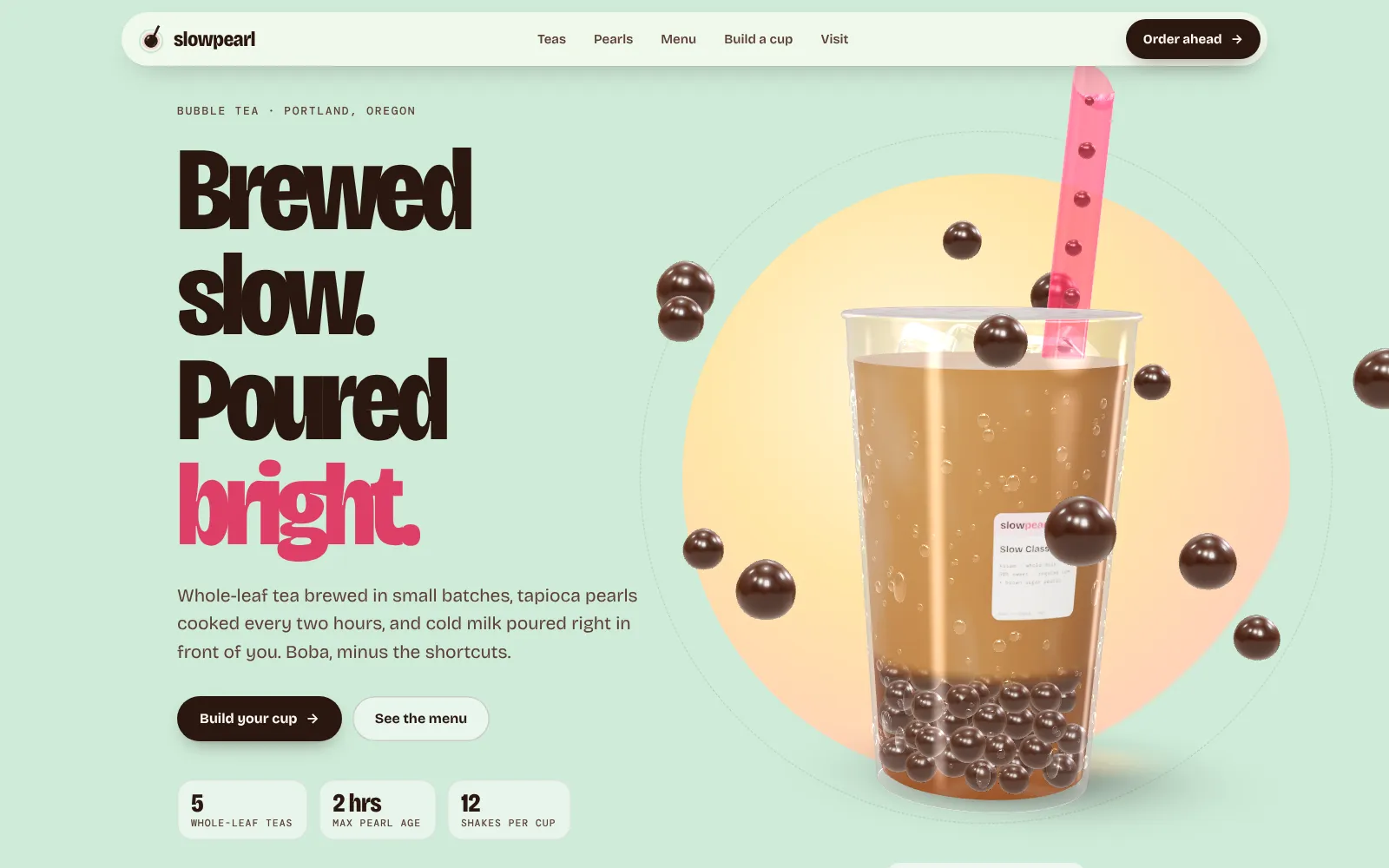
Many shapes can be generated instead of downloaded. The tooth in our Lumen Dental concept is a lathe: a 2D profile spun around an axis, the way a potter turns a cup. Slowpearl’s cup is lathed the same way, and each noodle in Ninth Bowl is a tube swept along a randomized curve. Code replaces the model file and keeps the shape editable, which is how Ninth Bowl switches between thin, wavy and thick noodles.
Repeated objects are where scenes usually slow down. Every mesh is at least one request to draw, and drawing two things costs more than drawing one even when the result looks the same, as the Three.js manual explains (three.js manual). An InstancedMesh draws many copies of one geometry while cutting the number of draw calls (three.js docs). In our Lab:
- Slowpearl’s pile of 78 tapioca pearls is one instanced mesh.
- Stackyard’s 150 sesame seeds are one instanced mesh, and so are its fries.
- Gatherfield’s 112 seats are one instanced mesh, with their backs in a second.
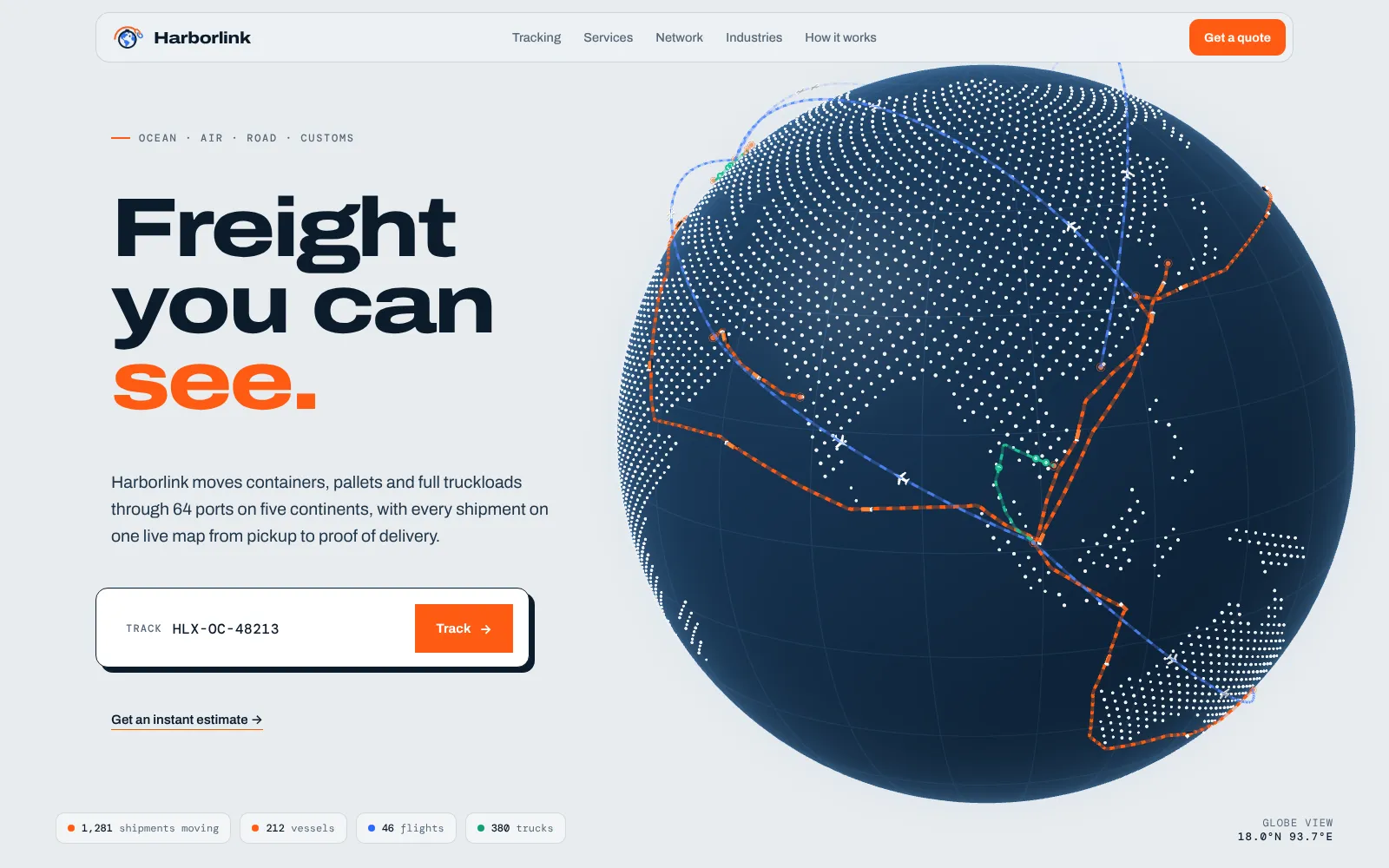
- Harborlink instances its ships and planes. Its globe’s land is a single
Pointsobject: it tests 11,000 evenly spaced positions on screens narrower than 700 pixels (17,000 on larger ones) against a land mask drawn into a 1024 × 512 canvas, and keeps only those on land. No map image is downloaded.
Level of detail helps too: when Ninth Bowl’s camera pulls back to the counter, the other eight bowls use a lighter version with fewer segments and no shadows, built only when you reach that chapter.
Load the page first and the scene second
- Defer the 3D code. Scripts with
type="module"are deferred by default, so the HTML parses and paints before Three.js runs. - Build chapters when they’re needed, like the lighter bowls above, instead of creating everything at startup.
- Warm up shaders off the critical path. Checking whether a shader has compiled normally blocks the main thread, so MDN recommends the non-blocking
KHR_parallel_shader_compileextension where it exists. Slowpearl callsrenderer.compileAsync()when it is available, and a regular compile otherwise, so materials are ready before the first interaction. - Always have a failsafe. Ninth Bowl removes its loader after six seconds no matter what, and Slowpearl starts rendering after 15 seconds even if shader compilation never reports back.
Render fewer pixels, and only when someone is looking
Cap the pixel ratio
On a phone with a devicePixelRatio of 3, a full-screen canvas at native resolution shades nine pixels for every CSS pixel. A cap of 2 cuts that to four, less than half the work. MDN calls rendering into a smaller buffer and scaling it up a common, easy way to trade quality for speed. Most of our Lab concepts cap at 2; Lumen Dental caps at 1.6 on phones.
renderer.setPixelRatio(Math.min(window.devicePixelRatio || 1, 2));
Step quality down when frames run slow
Measure frame times early and react. Slowpearl lowers its pixel ratio through four levels if frames stay slow, Lumen Dental can drop its render resolution to 60 percent, Biscuit & Bark lowers resolution and then removes layers from its fur, and Plotwise gives software renderers a lighter setup from the start.
Render on demand, and pause off-screen
The Three.js manual points out that rendering continuously when nothing animates wastes the device’s power and, on a phone, its battery (three.js manual). Render while something moves or the visitor scrolls or drags, then stop. Respect the prefers-reduced-motion setting too (MDN): every Lab concept checks it, and with it on, Ninth Bowl stops drawing 2.5 seconds after the last scroll or drag.
Most browsers already stop requestAnimationFrame in background tabs (MDN), but they keep calling it when your canvas has merely scrolled out of view. Harborlink stops its loop the moment the globe leaves the viewport:
new IntersectionObserver(([entry]) => {
  if (entry.isIntersecting) wake(); else running = false;
}).observe(canvas);
Plan fallbacks and keep every word crawlable
Some visitors will have WebGL off, a blocked graphics driver or a script that fails to load:
- Wrap renderer creation in
try/catch. If it fails, add a class such asnoglto the page and let CSS show a still image or gradient instead. Ninth Bowl falls back to a photo of a finished bowl. - Start the page with a
nojsclass that JavaScript removes, so reveal animations never leave text invisible if scripts fail. - Keep buttons, forms and prices in HTML outside the canvas. Ninth Bowl’s broth and noodle choices are ordinary buttons that drive the 3D, so they work with a keyboard and a screen reader.
Google can index only what appears in the rendered HTML, and it finds links only in <a> elements with an href (Google Search Central). Text drawn in WebGL is just pixels, so the headline, descriptions, menu, prices and FAQs live in HTML next to the scene, and the canvas is marked aria-hidden="true". Google also says server-side or pre-rendered HTML is still a good idea, because not every bot runs JavaScript.
Test on a mid-range phone, not your laptop
Lighthouse’s mobile test slows the CPU four times to emulate a mid-tier phone, on a simulated 1.6 Mbps connection with 150 ms latency (Lighthouse docs). Chrome DevTools offers CPU and network throttling (Chrome for Developers), but neither slows down your laptop’s graphics chip, which is the part a 3D scene leans on most. Lab scores can flatter a WebGL page.
So test the way your visitors browse:
- Use a real mid-range Android phone on a cellular connection, plus an iPhone.
- Scroll the page fresh, then again after a few minutes of use, to catch slowdowns that build up.
- Tap buttons while the scene is still loading, to catch slow responses.
- Once the site has traffic, check field data in PageSpeed Insights. Field data reflects your visitors’ real devices, networks and locations, which a lab test can’t (web.dev).
The 3D website performance checklist
- Headline and main button render as HTML without waiting for the 3D
- Canvas has reserved space or sits fixed behind the content
- Budget written down for downloads, texture memory and draw calls
- Repeated objects use
InstancedMesh; static parts are merged - Textures drawn in code or compressed as KTX2; lighter geometry and shadows on phones
- Pixel ratio capped at 2 or lower
- Quality steps down when frames run slow
- Rendering stops when nothing moves and when the canvas is off-screen, and reduced motion is respected
- WebGL and no-JavaScript fallbacks tested
- All copy, links and prices in crawlable HTML
- Tested on a real mid-range Android phone and an iPhone
Want a 3D site that stays fast?
Our 3D website design service is built on these rules: compressed assets, quality that adapts to the phone, a clean fallback and every word in HTML. Open our 3D websites or the Lab on your own phone and judge for yourself. Weighing the budget? Read what drives the cost of a 3D website. Every 3D project is quoted after a short call, and you see a free concept before you pay anything. Tell us what you’re building.
Frequently asked questions
Do 3D websites slow down your site?
They can, when the 3D blocks the page: a big model download, a loader in front of the headline or a scene that renders at full resolution all the time. Built as a layer on top of normal HTML, with a small asset budget, capped resolution and rendering that pauses when nothing changes, the 3D adds little to load time and doesn't stop visitors reading or tapping.
Do 3D websites work on mobile phones?
Yes, if they are designed for touch and tested on real phones. The keys are a capped pixel ratio, lighter geometry and shadows on small screens, quality that steps down when frames run slow, and a clean fallback for devices that can't run WebGL.
Can Google index a 3D website?
Google indexes what appears in the rendered HTML, so text drawn inside a WebGL canvas is just pixels to it. Keep headings, descriptions, prices and links in normal HTML next to the scene, with proper titles, structured data and a sitemap, and the 3D doesn't hide anything from search.
How do I optimize Three.js performance?
Cut draw calls by instancing repeated objects and merging static ones, cap the renderer's pixel ratio, compress or generate textures instead of downloading large images, and render only when something changes. Then profile on a real mid-range Android phone, because desktop throttling doesn't slow down your graphics chip.
Does a canvas count toward Largest Contentful Paint?
No. The elements considered for LCP are images, images inside SVG, videos, CSS background images and blocks of text, and canvas isn't on that list. Your LCP is usually the hero headline, so make sure it isn't hidden behind a loader or a fade that waits for the 3D code.
What is a good file size budget for a 3D website?
There is no universal number, because a product scan and a stylized scene have very different needs. Set a budget per scene for downloads, texture memory and draw calls before modeling starts. For reference, our Ninth Bowl concept ships about 37 KB of gzipped page code plus about 175 KB of gzipped Three.js code and helpers, with no model or texture files.
Sources
- Web Vitals (web.dev)
- Largest Contentful Paint (web.dev)
- Optimize long tasks (web.dev)
- Optimize Cumulative Layout Shift (web.dev)
- Why lab and field data can be different (web.dev)
- Understanding Core Web Vitals and Google search results (Google Search Central)
- Understand JavaScript SEO basics (Google Search Central)
- Optimize lots of objects (three.js manual)
- Rendering on demand (three.js manual)
- InstancedMesh (three.js docs)
- WebGL best practices (MDN)
- KTX: GPU texture container format (Khronos Group)
- Page Visibility API (MDN)
- prefers-reduced-motion (MDN)
- Lighthouse throttling documentation (GoogleChrome/lighthouse)
- Throttling settings in Chrome DevTools (Chrome for Developers)

Founder and creative director of Doris Studio. Doris designs and builds immersive 3D websites, brand sites, browser games and learning worlds for clients in the US and worldwide, and leads creative at SentryX. About Doris · See the Lab