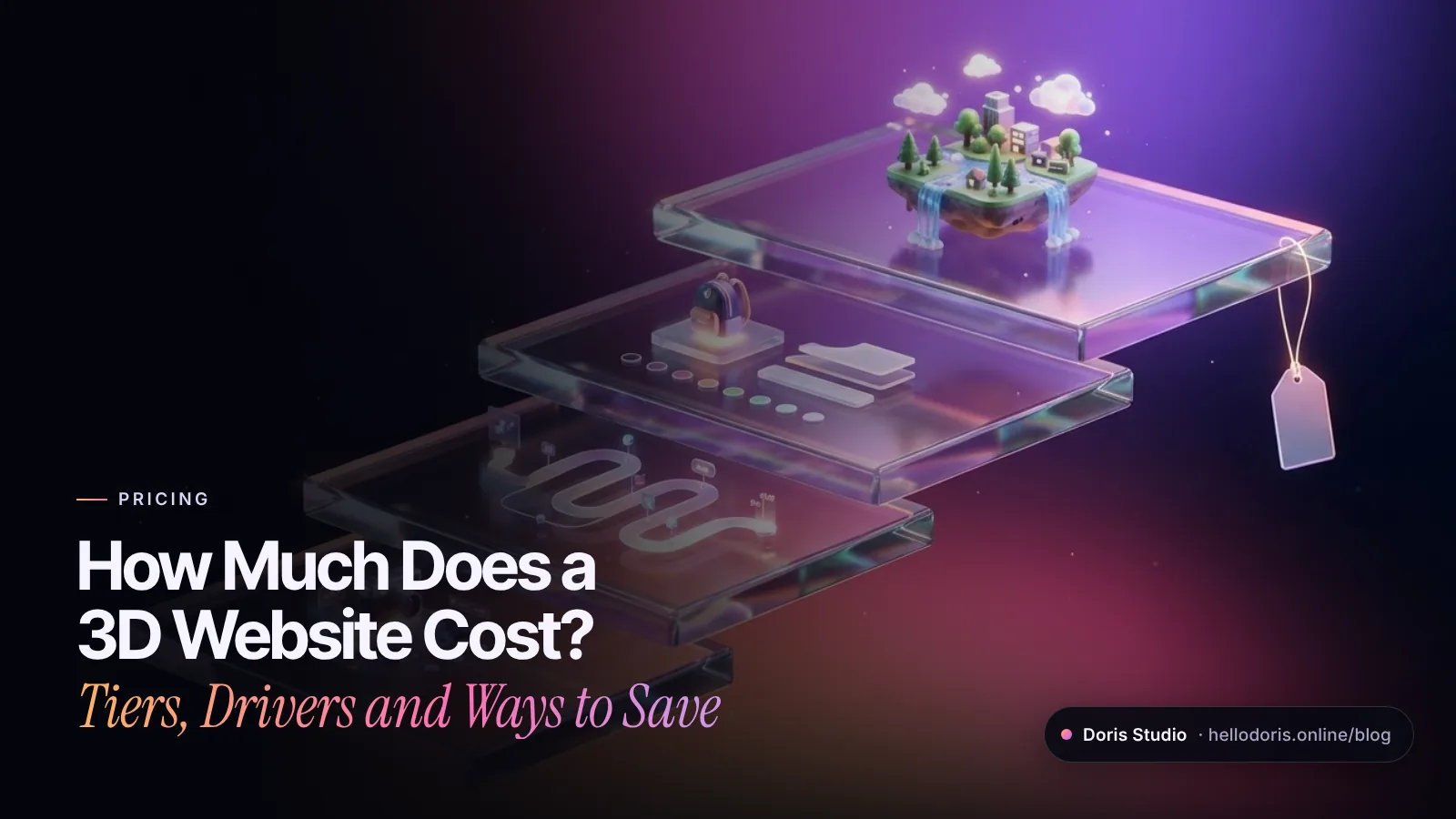
How much a 3D website costs comes down to how much of the site is 3D and how much that 3D has to do. A single interactive 3D object in the hero of an otherwise normal site is the smallest job. A scroll-driven 3D story, a product configurator with live pricing and a walkable world each cost substantially more, because every step up adds design, modeling, code and phone testing. That is why most studios, ours included, quote 3D work after a short call, not from a price list.
Below are the four tiers of 3D we build at Doris Studio, the seven drivers that move a quote, and ways to save that don’t make the result look cheap. No invented “average prices,” just where the hours go, so you can compare quotes on equal terms.
Key takeaways
- The software is free. Three.js, a popular library for 3D on the web, is open source. You pay for skilled time.
- Scope sets the price. A 3D hero, a scroll story, a configurator and a walkable world are four very different jobs.
- An exact replica of your product costs more than stylized 3D generated in code.
- Speed, SEO and accessibility work are part of the job, not extras. Skip them and the site is slow and hard to find.
- At Doris Studio, every 3D project is quoted after a short call, you see a free concept first, and modern 2D redesigns start at $500.
Why 3D website prices vary so much
The tools are not the expense. Three.js, the JavaScript 3D library we and many other studios build on, is released under the MIT License. glTF, the open file format for delivering 3D models, is a royalty-free specification from the Khronos Group. There is no license fee hiding in a 3D quote.
What you pay for is time from people who do four different jobs well: art direction, 3D modeling, interaction programming and performance tuning. Those jobs don’t scale like ordinary web pages. Adding a page to a regular site usually means filling in a template; adding a 3D scene can mean new models, lighting, touch controls and another round of testing on older phones. Two projects both called “a 3D website” can be very different amounts of work, so two quotes only compare fairly when they describe the same scope.
The four tiers of 3D websites, and what you get at each
Most 3D websites fall into one of four tiers. Each tier adds a new kind of work on top of a fast, readable page.
| Tier | What visitors get | Example | What takes the time | Relative effort |
|---|---|---|---|---|
| 1. Interactive 3D hero | One 3D object on the first screen that reacts to drag, scroll or touch; the rest is fast 2D | Floating coffee beans on Doris Coffee House | One scene, lighting, a phone fallback | Lowest |
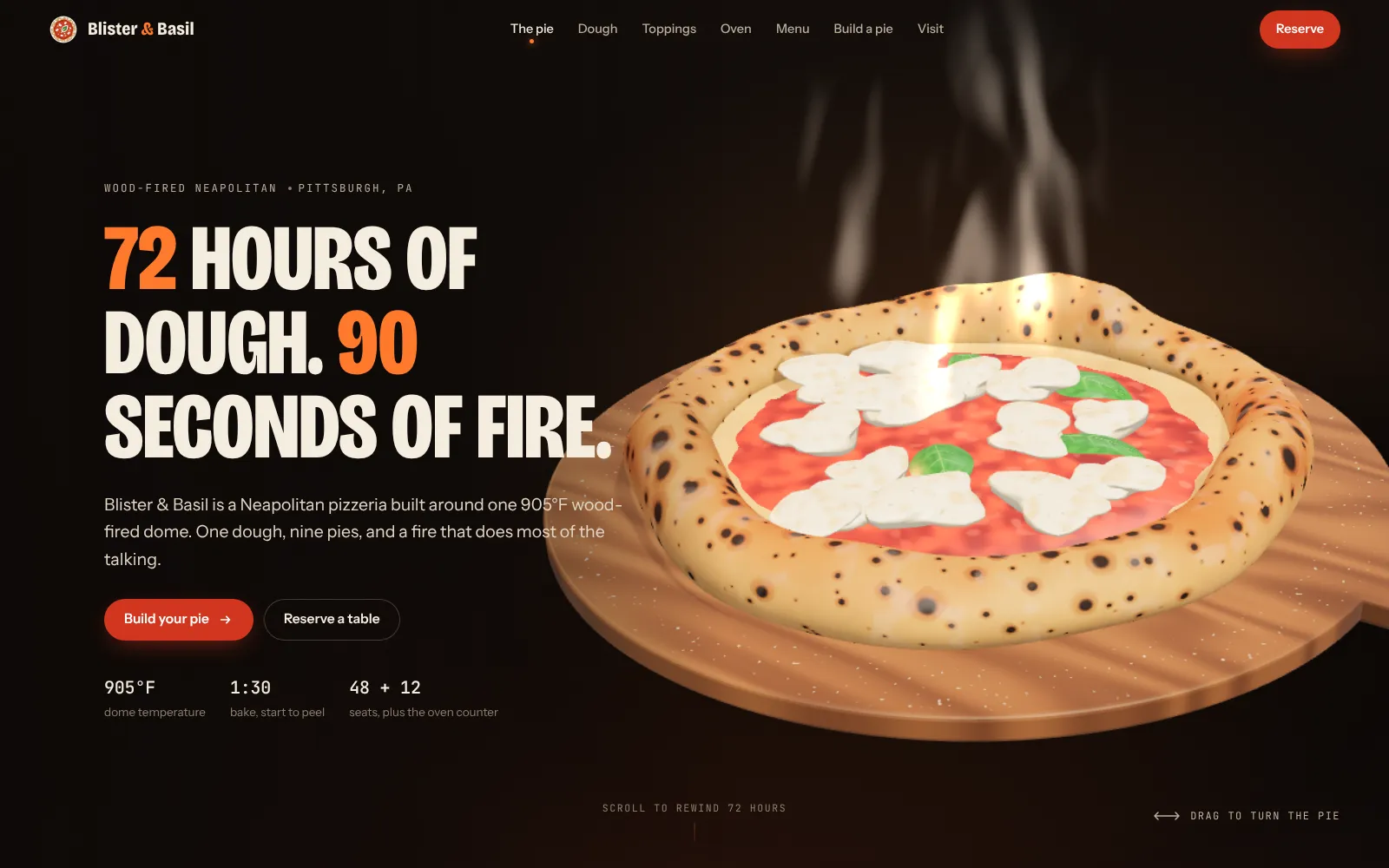
| 2. Scroll-driven 3D story | A scene that changes chapter by chapter as you scroll | The scroll-built pizza in the Blister & Basil concept | Choreographing chapters, keeping text readable | Moderate |
| 3. Product viewer or configurator | Visitors turn the product and change its options, often with a live price | The paint and wheel picker in the Voltara Motors concept | Every option looking right, pricing rules, cart or inquiry hand-off | High |
| 4. Walkable world or game | A place to explore instead of a menu | The hex-island world on Kingdomland Kids | Many assets, touch navigation, far more testing | Highest |
Tier 1: an interactive 3D hero
This is the best-value way in. Visitors meet your product, place or character in real-time 3D the moment they land, and everything below is a normal, fast page. On Doris Coffee House, the studio’s own coffee brand, 3D beans float in the hero while the menu, roasts and table booking below are ordinary HTML. It suits a brand that wants a memorable first impression without changing how the rest of the site works.
Tier 2: a scroll-driven 3D story
Here the 3D carries the narrative. As visitors scroll, the camera moves, objects open up, and each chapter adds a piece of the story. Blister & Basil, a Lab concept for an invented pizzeria, is built this way: as you scroll, a dough ball stretches, sauce spirals on, the cheese melts and the pie bakes in a glowing oven on a 90-second timer. The effort goes into choreography: deciding what the camera does in every chapter, keeping the words legible over a moving scene and making sure scrolling still feels like normal scrolling on a phone.
Tier 3: a product viewer or configurator
A viewer lets people turn a product in their hand. A configurator lets them change it. On Voltara Motors, a Lab concept for an invented electric crossover, visitors orbit the car and change its paint and wheels while the price updates. On Ninth Bowl, a Lab concept for an invented ramen counter, the bowl assembles itself as you scroll, and a build-your-bowl panel adds broth, noodles and toppings while an order ticket keeps the running total.
Cost climbs with the number of options, because every combination has to look right, and with the logic behind them: prices, stock rules, and where the finished design goes (a cart, an inquiry or a booking). Our guide to 3D product configurators covers the details.
Tier 4: a walkable world or browser game
The top tier swaps the menu for a place. Kingdomland Kids, a Christian streaming app for children aged 3 to 10, greets families with a floating hex-island world, a 3D turntable of the cast and video carousels for more than 200 episodes. Worlds take the most time because they need more assets, navigation that works with one thumb and far more testing. They also give visitors the strongest reason to come back.
The seven drivers that move a 3D website quote
1. How much of the site is 3D
One scene on the home page, or a scene in every section? Ask each studio for a page-by-page list of what is 3D and what is ordinary HTML. It is the fastest way to compare two quotes.
2. Custom models or 3D built in code
Modeled assets are made in a 3D tool or rebuilt from your product photos, then exported as glTF files and compressed. Procedural 3D is generated by code in the visitor’s browser. Every concept in our Lab works this way: the ramen bowl, the electric crossover and the Miami tower are all built in code, with no model files to download.
| Custom modeled assets | Procedural 3D (built in code) | |
|---|---|---|
| Best for | An exact replica of a real product: this ring, this shoe | Stylized objects, architecture, food, data and abstract scenes |
| Look | Can get close to photoreal | Clean and art-directed |
| Where the cost goes | Modeling, textures, an asset per variant | Programming; a new variant is often a changed value |
| Download size | Grows with model and texture detail | Usually small, because the shapes are created on the device |
| Changing it later | Re-model or re-texture | Edit the code |
If buyers need to inspect your exact product, budget for modeling. If they need to understand an idea, a stylized scene built in code is often cheaper and lighter.
3. Interactions and business logic
Drag-to-turn is cheap. Live pricing, inventory rules, saving a design or sending a configuration to your sales inbox is application work. So is anything that talks to another system, such as an online store, a booking calendar or a CRM.
4. Content
The page around the 3D still needs copy, photos, specs and sometimes a second language. If your content is written and approved before the build starts, the project moves faster and costs less.
5. Performance work for phones
This is where cheap 3D sites cut corners. Google’s Core Web Vitals rate a page as good when its largest content element appears within 2.5 seconds, it responds to input within 200 milliseconds and its layout shift stays at 0.1 or less, measured at the 75th percentile of visits. Meeting that with a live 3D scene takes deliberate work: compressed textures (glTF supports KTX 2.0 images with Basis Universal supercompression), text that loads before the 3D, capped pixel density and a lighter mode for weaker phones. Several of our Lab scenes even lower their own resolution on the fly when frames start running slow. More in how to keep 3D websites fast.
6. Editing, CMS and integrations
If your team needs to change prices, menus or photos without a developer, the site needs an editing layer. Connecting it to the 3D, so a new product or color appears in the viewer on its own, is extra work worth raising up front.
7. Care after launch
Hosting, SSL, backups, security updates and small content changes continue after launch, and browsers keep changing. Ask what a monthly care plan covers and costs. Ours are fixed-price.
What a fair 3D website quote should include: a checklist
Before you sign, check that the proposal answers each of these:
- Scope: a page-by-page split of what is 3D and what is ordinary HTML.
- Assets: who creates the 3D, whether it is modeled or built in code, and who owns the files and code after launch.
- Real HTML text: every heading, price and paragraph lives in the page, not painted into the 3D canvas. A canvas is a bitmap whose content is not exposed to accessibility tools, and Google says it can’t index content that isn’t in the rendered HTML.
- Fallbacks: a working page for devices without WebGL, and calmer motion for visitors who turn on reduced motion in their settings.
- Performance targets: Core Web Vitals goals and the real phones the site will be tested on.
- Business logic: where configurations, bookings or leads end up.
- Revisions: how many rounds, and how you will review progress.
- Care: hosting and support after launch, priced monthly.
- Payment terms: the deposit and when the balance is due.
How to save money on a 3D website without making it look cheap
- Put the 3D where it sells. One strong 3D moment on the home or product page often does more than ten small ones. Keep the rest fast 2D.
- Choose stylized over photoreal, unless buyers need to inspect the exact product.
- Let one object carry the page. On Ninth Bowl, the broth, noodles, toppings, house bowls and build-your-own panel all act on the same bowl, so there is one scene to design and tune instead of six.
- Launch in phases. Go live with a 2D site and a 3D hero, then add the configurator or world once the site is bringing in leads.
- See a concept before you commit. A concept settles the creative direction before you pay for production, which avoids the most expensive kind of revision.
Is a 3D website worth the cost?
3D earns its cost when what you sell is visual, spatial or hard to show in a flat photo: a product with options, a building that isn’t finished, a treatment that happens inside a tooth, a place people should want to visit. It also helps when every competitor’s site looks the same.
It is the wrong spend when visitors arrive in a hurry for one task, like an emergency plumber’s phone number or a clinic’s opening hours. For those, a fast, clear 2D site wins and costs far less. If you are unsure, browse our 3D website examples by industry and see which ideas match a real goal of yours.
How Doris Studio prices a 3D website
We don’t publish a 3D price list, because two “3D websites” can be completely different jobs. Here is how a quote works with us:
- A short call about your audience, your goals and what success looks like.
- A free concept first. In about a week we build two directions from your own content, a modern 2D site and an immersive 3D one. There is no obligation.
- A fixed price for the scope you choose, with an optional monthly care plan.
- A 50% deposit to start and the balance at launch, with weekly builds you can click through along the way.
If 3D isn’t the right fit yet, modern 2D redesign packages start at $500. For what goes into our 3D builds, see the 3D website design service.
Want a real number for your project instead of a guess? Tell us what you’re building and we’ll start with a free concept, so you see your 3D website before you pay for it.
Frequently asked questions
How much does a 3D website cost?
It depends on scope. An interactive 3D hero on an otherwise normal site is the smallest job, while a scroll-driven story, a product configurator or a walkable world each take far more design, code and testing. Because the range is so wide, Doris Studio quotes every 3D project after a short call and shows you a free concept first. Modern 2D redesign packages start at $500.
Is Three.js free to use on a commercial website?
Yes. Three.js is open source under the MIT License, which allows commercial use. What you pay for in a Three.js website is the time to design, model, program and test the 3D, not the library itself.
Will a 3D website slow down my site or hurt my SEO?
It shouldn't, if it is built for speed and search from the start. The words and buttons should load first as real HTML, the 3D should be compressed and load after them, and quality should step down on slower phones. Google indexes the rendered HTML, so any text painted inside a 3D canvas is invisible to search.
Do I need my own 3D models?
No. A studio can model your product from photos, or build a stylized version in code. You only need detailed modeling when buyers must inspect your exact product; for many brands, a stylized object built in code tells the story well and downloads faster.
How long does it take to build a 3D website?
It depends on the tier: a 3D hero is a much shorter build than a configurator or a walkable world. At Doris Studio you see two free concepts in about a week, the build ships in weekly iterations you can click through, and the full timeline is written into your quote.
Can I add 3D to my existing website instead of rebuilding it?
Often, yes. A 3D hero or product viewer can sit on an existing page as long as the platform allows custom code and the 3D loads after your content. It is usually the cheapest way to test whether 3D helps your business before committing to more.
Sources

Founder and creative director of Doris Studio. Doris designs and builds immersive 3D websites, brand sites, browser games and learning worlds for clients in the US and worldwide, and leads creative at SentryX. About Doris · See the Lab