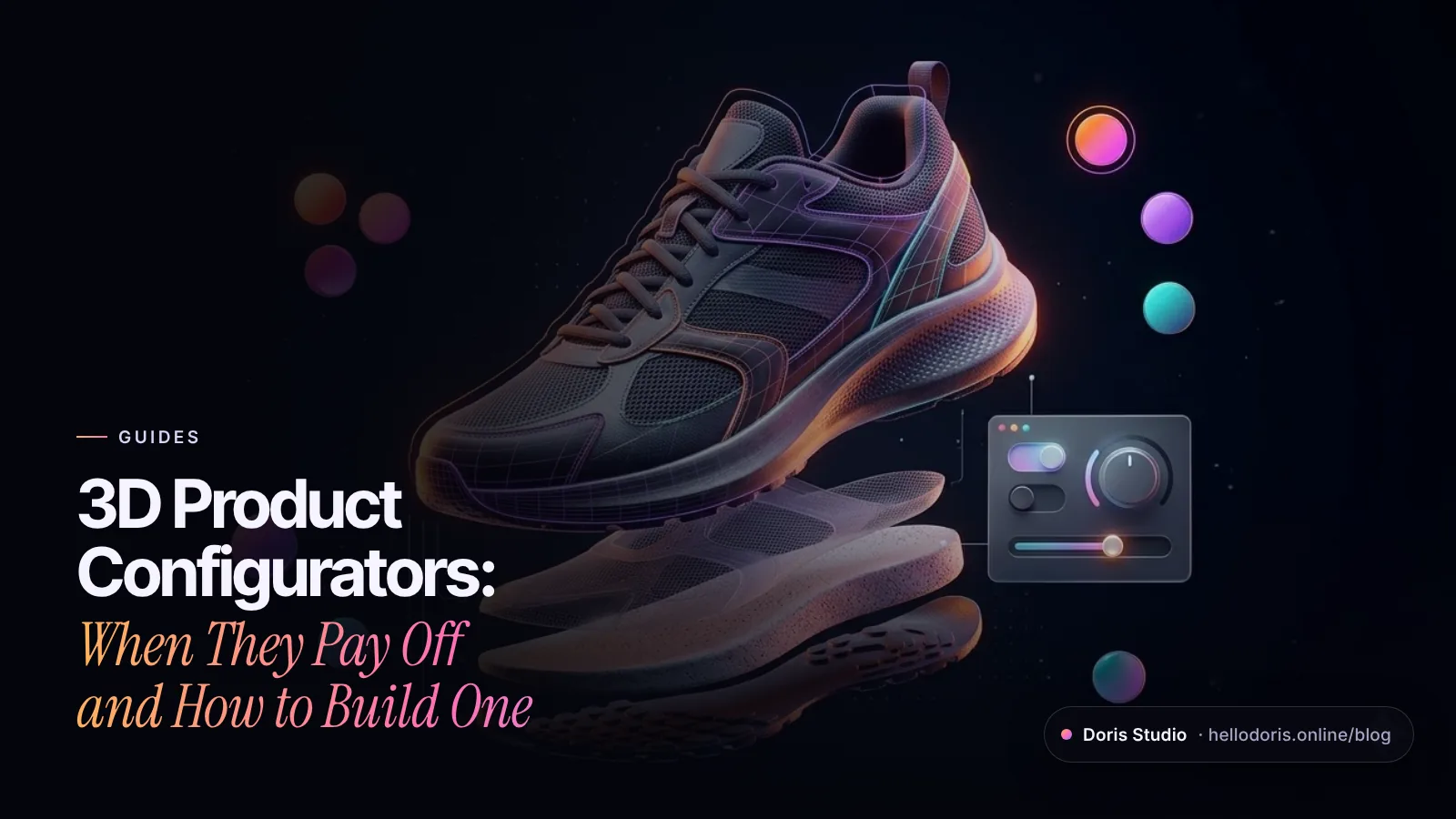
A 3D product configurator lets shoppers change a product’s options, such as color, material, size or parts, and watch a real-time 3D model update as they do, with the price and specs changing alongside. It pays off when your product has visible options in more combinations than you could ever photograph, and when seeing the exact result is what gets people to buy. Below: when to build one, the UX patterns that sell, and what drives the cost, with examples from our Lab.
Key takeaways
- Build one when combinations outrun photography and the differences are visible.
- Start shoppers from presets, then let them edit.
- Show the price and the consequences live: range, height, calories, prep time.
- Put the rules in the controls so impossible builds can’t be chosen.
- Keep options in HTML, give every build a URL, and hand off to AR, cart or booking.
What is a 3D product configurator?
It’s an interactive 3D viewer wired to your product data. Each option a shopper picks swaps a material, a part or a layer in a model rendered live in the browser, and the same choice updates the price, the specs and what lands in the cart or quote request. Shoppers can turn it, zoom in and see any combination, including ones nobody ever photographed.
Here’s how it compares with the approaches most stores start with:
| Approach | What the shopper sees | Asset work | Best for | Main limit |
|---|---|---|---|---|
| Image swap (2D) | A photo or layered render per option | A shot or render per combination | Few options, flat products such as prints | Combinations multiply fast |
| 360° photo spin | One finished item turning | Dozens of photos per variant | One product from every angle | Each variant needs its own spin |
| Real-time 3D configurator | Any combination, turnable, live price | One model plus materials and rules | Many visible options, made to order | Needs 3D and performance work |
| AR view | The product at true scale in your room | A model file per phone platform | Furniture, decor, cars | Phones and tablets; often opens in a system viewer |
The strongest setups combine the last two: a configurator on the page and a “view in your space” button on phones.
When does a 3D configurator pay off?
The clearest signal is arithmetic. Voltara Motors, a Lab concept for an invented electric crossover, offers 3 trims, 6 paints, 3 wheel sets, 3 interiors and 3 optional packs. That’s 1,296 possible cars. Nobody photographs 1,296 cars; one model with swappable materials shows them all.
A configurator is usually worth building when:
- The differences are visible: paint, fabric, finish, stitching, layout, parts.
- Size and proportion are in doubt. In Baymard Institute’s testing, 42% of users tried to judge a product’s scale from its images, and misjudging it led some to reject suitable products (Baymard). A model with real dimensions, or AR, answers that.
- The product is made to order or personalized, so there’s no finished item to shoot.
- The purchase is considered: cars, furniture, jewelry, bikes, kitchens, custom gear.
It’s usually not worth it when the options are invisible (storage size, warranty length), when you sell two colors that photograph well, or when the catalog changes faster than anyone will update the 3D.
UX patterns that make a configurator sell
Jakob Nielsen’s advice on customization tools still holds: they’re hard to use, so start people from a small set of ready-made designs and let them edit instead of designing from scratch (Nielsen Norman Group).
Start from presets, then let people edit
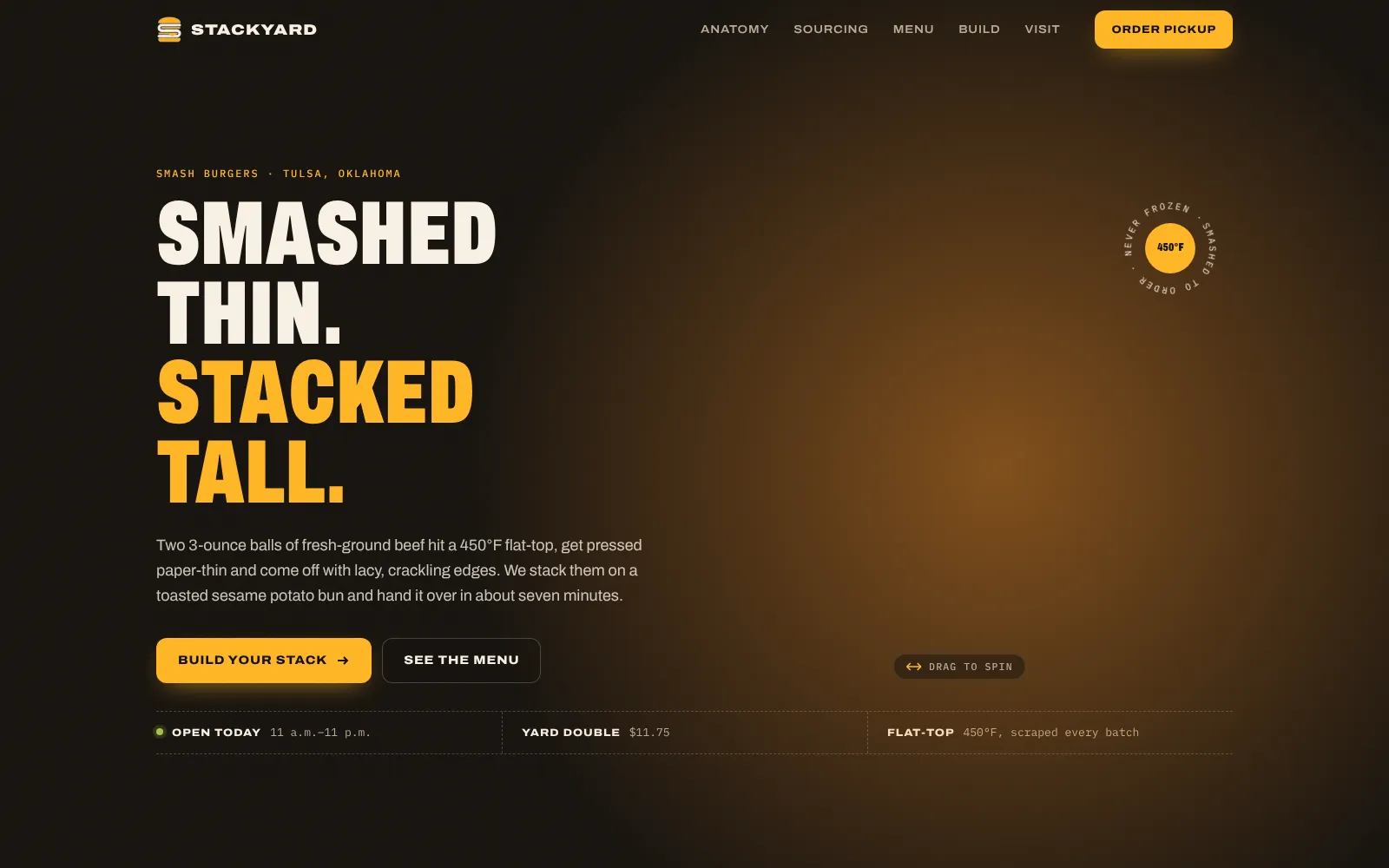
Stackyard, a concept for an invented smash-burger shop, opens its build-a-stack on four presets: Single, Double, Triple and The Works. Pick one and the 3D burger restacks. Add a patty and the preset switches off and the order line reads “Custom stack”. In Slowpearl, a bubble-tea concept, menu drinks carry a customize button that loads their recipe into the builder. Ninth Bowl, a ramen concept, loads each house bowl into the 3D bowl when you hover over it with a mouse.
Show the price and the consequences, live
Update the total on every tap, with line items in view, and show what a choice changes besides money:
- Voltara recalculates estimated range. The 21-inch wheels take the Long Range trim from 340 to 316 miles, and the tow pack trims it again.
- Stackyard shows the burger’s height in centimeters and inches, plus a “jaw check” that runs from “one hand, easy bite” to “fork-and-knife territory”.
- Slowpearl estimates the calories and prep time of the cup you built.
- Ninth Bowl prints a counter ticket with each topping’s price and the boil time for your noodle cut and firmness.
Put the rules in the controls
Real products have rules: parts that don’t fit together, quantity limits, options only some sizes get. Enforce them in the interface, not in an error at checkout:
- Stackyard allows one to four patties and up to two portions of bacon, and the plus button disables at each limit.
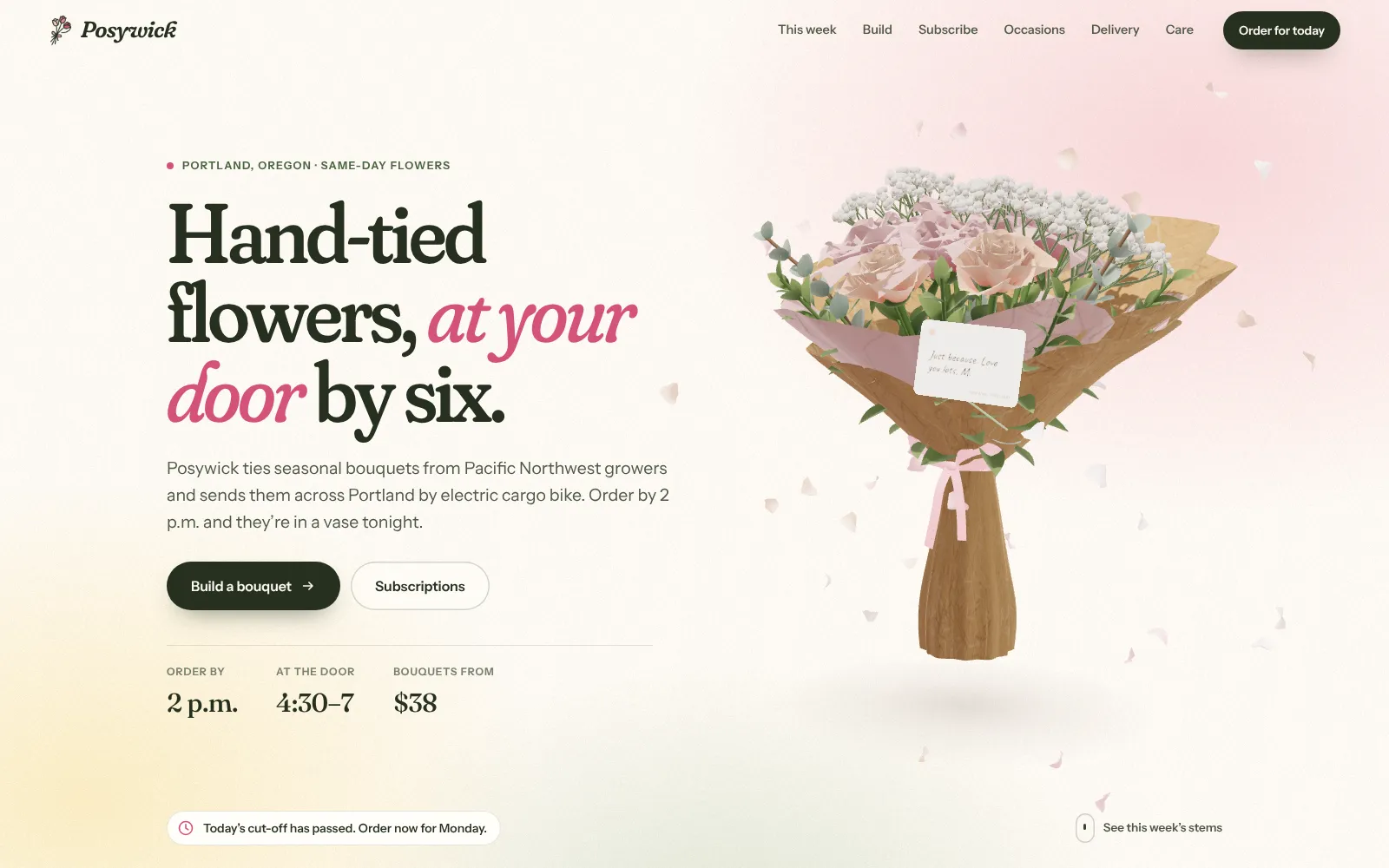
- Posywick, a florist concept, asks for three to five flowers with a live “4 of 5” counter, and caps the gift card at 120 characters.
- Pulse Runners, a sneaker-drop concept, offers wide sizing in only two of its five colorways and tells you which as soon as you pick one.
- Even Ninth Bowl’s random “Chef’s pick” follows a rule: it never puts chili oil and black garlic oil in the same bowl.
On a bigger catalog, the rules live in one table, or a configure-price-quote (CPQ) system, that the configurator and the order system both read, so the screen can’t promise what the workshop can’t make.
Name every option, not just its color
A row of color dots fails anyone who can’t tell the colors apart. WCAG’s Use of Color criterion says color shouldn’t be the only visual means of conveying information (W3C), so print the option’s name beside the swatches, the way Voltara shows “Fjord Teal”. Build choices from real form controls or the radio group pattern (W3C APG): Pulse Runners’ colorway picker moves with the arrow keys, and Slowpearl’s whole builder is an ordinary HTML form that the 3D cup listens to.
Let the product react to the shopper
On Pulse Runners, the whole page’s accent color follows the colorway you pick. On Nightglass, a gaming-keyboard concept, you type on your own keyboard and each key presses its twin on the 3D board. Posywick writes your card message in handwriting onto the card in the 3D bouquet, shrinking the lettering until it fits.
Save, share and hand off
A build people can’t save is a build they lose. Write the selected options into the URL as they change: history.replaceState() updates the address bar without reloading the page (MDN). That URL becomes the link sent to a partner, the saved build and the quote reference. It helps search too: Google’s product variant guidelines require that each variant can be preselected with its own distinct URL (Google Search Central). Our Lab concepts stop at an on-page summary because nothing is for sale; on a client store, the build goes into the URL and on to the cart, quote form or booking.
Hand off to AR on phones
On iPhone and iPad, Safari opens USDZ models in AR Quick Look (Apple). On Android, Google’s Scene Viewer opens glTF and GLB models and recommends keeping them to about 10 MB and 100,000 triangles, with textures no larger than 2048 × 2048 (Google AR). The open-source <model-viewer> component supports WebXR, Scene Viewer and Quick Look, and can generate the USDZ file at the moment an iPhone user taps the AR button (model-viewer). Whatever you use, test that the AR view shows the build the shopper made, not just the default product.
How do you keep a configurator fast on phones?
A configurator is a 3D scene plus a form, so the speed rules in our guide to fast 3D websites apply. The ones that matter most here:
- Swap materials, not models. A color change should change a material’s settings, not download a file. Voltara’s six paints each set a color, metalness and roughness on the same car body, and the new paint blends in rather than popping.
- Generate simple parts in code. None of the seven configurator concepts in our Lab loads a model file. The Voltara car, the Stackyard layers and the Posywick bouquet are built in code, which keeps downloads small.
- Keep options and prices in HTML. Page elements paint instantly, work with screen readers and stay readable to Google, which indexes the rendered HTML (Google Search Central).
- Load the scene as it nears the viewport if the configurator sits halfway down the page.
- Keep a fallback. If WebGL can’t start, Stackyard swaps its 3D burger for a photo and Voltara’s configurator keeps working on a plain background, prices and totals intact.
Real products often need scanned or CAD-based models; ship them as glTF, a format designed to minimize file size and the processing needed to use a model (Khronos), with compressed textures and a level-of-detail plan.
Data and CMS: where the options live
The option data is what makes a configurator maintainable. In our Lab concepts, options are plain data: each Voltara paint is one entry with an ID, a name, a color, a price and finish values, and each wheel carries a price and a range factor. The buttons, the 3D and the total all read that one list, so the price can’t disagree with itself.
On a live store, that list moves into a CMS, a spreadsheet your team already uses or your store’s product data. For each option, plan fields for:
- ID, display name and translations
- Price difference, and whether it varies by base model
- Availability and lead time
- Rules: requires, excludes, minimum and maximum
- The 3D reference (material, part or layer) and a fallback image
- The SKU or variant it maps to in your store or ERP
Decide early who updates it. If your team can add a seasonal colorway without a developer, the configurator stays current; if every change needs code, it goes stale.
What drives the cost of a 3D configurator?
There’s no honest average, because a ten-option burger builder and a car with dealer pricing are different projects. The drivers are predictable, though:
- Products and options. One hero product or a catalog; five options or fifty.
- Where the 3D comes from. CAD files to clean up, products to model from photos, or simple shapes generated in code.
- Realism. Stylized product art costs less than materials that must match a fabric swatch exactly.
- Rules. A few limits versus a full compatibility matrix.
- Integrations. An on-page summary, a cart, quote requests, CPQ, ERP or dealer systems.
- AR, languages and accessibility work.
- Upkeep. Who adds options later, and how.
We quote every 3D project after a short call for exactly this reason, and you see a free concept before you commit. For the wider budget picture, read how much a 3D website costs.
Should you build a custom configurator or use a platform?
Pick the category first, then compare products within it.
| Option | Good fit | Watch for |
|---|---|---|
| Store app or plugin (mostly 2D layers) | Simple personalization: text, colors, a few parts | Limited 3D; looks like the app, not your brand |
| Hosted 3D configurator platform | Many SKUs, an in-house team to load products, a standard storefront | Fees for as long as you use it, limits on styling the embed, setup per product |
| Custom WebGL build | A hero product, a brand-defining experience, unusual rules or storytelling | You own the upkeep; needs a clean data model |
| Hybrid | Platform data and rules with a custom front end | Two systems to keep in sync |
Go custom when the configurator is the brand moment people share, or when your product logic doesn’t fit a template. Choose a platform when you have hundreds of products and a team to load them.
3D configurator launch checklist
- Presets cover your best sellers, and every build starts from one
- Every option shows a name, a price difference and availability
- Rules are enforced in the controls
- Price, specs and consequences update on every change
- The build lives in the URL and survives a refresh and a share
- Keyboard and screen reader work, and color is never the only cue
- Options, prices and descriptions are HTML, not pixels in the canvas
- Material swaps don’t trigger downloads, and a still fallback covers WebGL failures
- AR shows the configured build on a real iPhone and Android phone
- The finished build reaches the cart, quote or booking intact
See your product in 3D
Our 3D website design service builds configurators like these: presets, live pricing, built-in rules and a model that stays fast on phones. Try the concepts above on your own phone, then tell us about your product. We’ll show you a free concept before you commit to anything.
Frequently asked questions
What is a 3D product configurator?
It's a tool on a product page that lets shoppers choose options such as color, material, size or parts and watch a real-time 3D model update with each choice. The price, specs and the order or quote update with it, so what the shopper sees is what they buy.
How much does a 3D product configurator cost?
It depends on how many products and options you have, where the 3D models come from, how realistic the materials must be, how complex the rules are and what the configurator connects to, such as a cart, quote system or ERP. One hero product with a handful of options is a very different project from a full catalog. We quote every 3D project after a short call and show you a free concept first.
Do I need CAD files or 3D models to build a configurator?
No, though they help. Products can be modeled from photos and dimensions, and simpler shapes can be generated in code, as in our Lab concepts. CAD files usually need cleanup and simplification before they are light enough for a phone browser.
What's the difference between a 3D configurator and AR?
A configurator lets shoppers change the product and view it on your page. AR places the product in the shopper's own room through the phone camera, using AR Quick Look on iPhone and iPad and Scene Viewer or WebXR on Android. The best setups let people configure first, then view that build in AR.
Can a product configurator connect to my online store?
Yes. Each finished build maps to a product variant, a SKU with line-item options or a quote request, and the configurator passes it to the cart or form. Keep option names, prices and rules in one data source so the configurator and the store never disagree.
Are 3D configurators bad for SEO?
Not if the options, prices and descriptions are in HTML rather than drawn inside the 3D canvas. Give each variant a distinct URL that preselects it, which Google's product variant guidelines require, and keep the page fast on phones.
Sources
- Product Page UX: All Products Need at Least One 'In Scale' Image (Baymard Institute)
- Customers as Designers (Nielsen Norman Group)
- Understanding Success Criterion 1.4.1: Use of Color (W3C)
- Radio Group Pattern (W3C ARIA Authoring Practices Guide)
- History: replaceState() method (MDN)
- Product variant structured data (Google Search Central)
- Understand JavaScript SEO basics (Google Search Central)
- AR Quick Look (Apple Developer)
- Using Scene Viewer to display interactive 3D models in AR (Google AR)
- Augmented reality examples (model-viewer)
- glTF overview (Khronos Group)

Founder and creative director of Doris Studio. Doris designs and builds immersive 3D websites, brand sites, browser games and learning worlds for clients in the US and worldwide, and leads creative at SentryX. About Doris · See the Lab