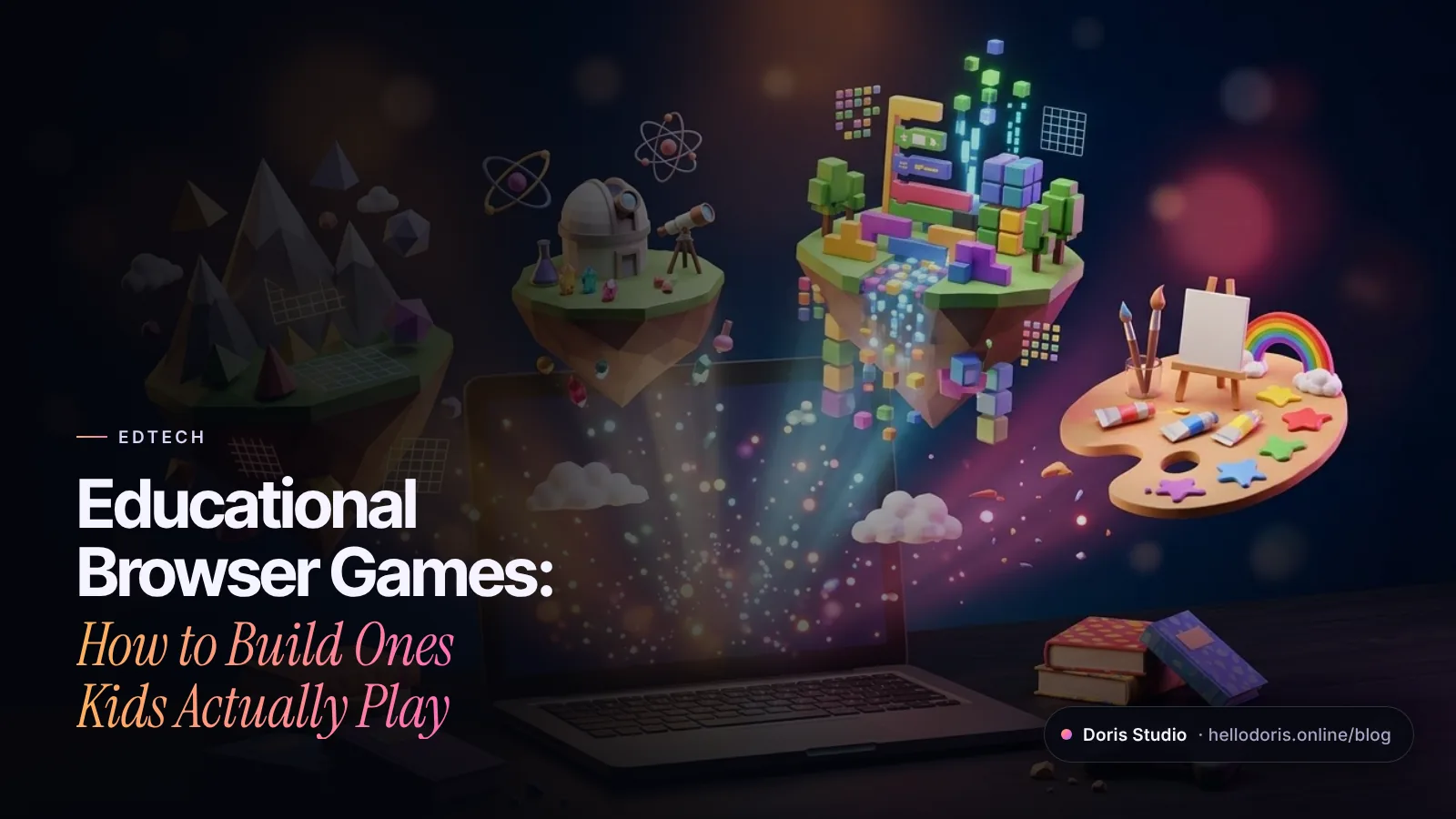
Educational browser games are learning games that run in a web browser: students open a link and play on a Chromebook, tablet or phone, with nothing to install. The ones that actually teach give kids a clear goal, instant feedback, short rounds and content mapped to what they learn in class. With WebGL and libraries like three.js, they can now be full 3D worlds that still open like a web page.
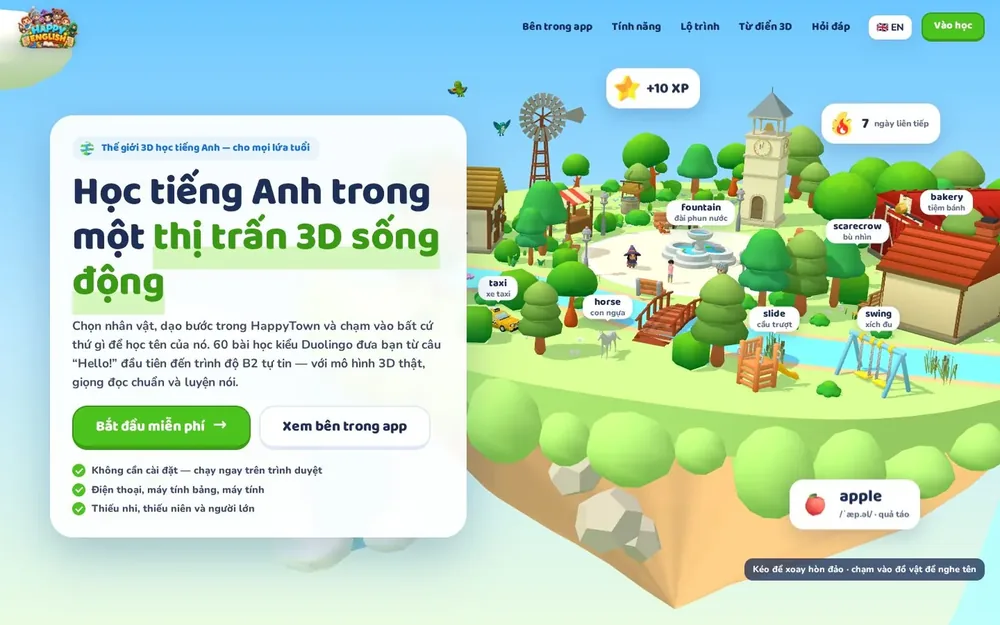
We build them at Doris Studio: Playwatch Academy, a 3D learning world for PreK to Grade 6 made for Playwatch in the US; our own DorisEdu Kids and Happy English; and HappyTown, a 3D farm-and-town game published by SentryX. Here is what we’ve learned about why the browser, what makes a learning game work, curriculum alignment, child privacy, accessibility, the tech and cost.
Key takeaways
- A link beats an app store for schools: no install, any device, one codebase.
- Learning goes inside the play: a clear goal, instant feedback, short rounds and regular review.
- Map every level to a standard teachers already use.
- If the game is directed at kids under 13 and collects personal information, COPPA applies. Collect as little as you can.
- Build accessibility in from day one: captions, cues that don’t rely on color, reduced motion, touch and keyboard.
- Cost is driven mostly by content volume, art, accounts and reporting.
What are educational browser games?
The term covers a wide range, from a five-minute math game to a whole curriculum in 3D. Knowing which kind you need is the first scoping decision.
| Type | What it is | Example from our work | Build effort |
|---|---|---|---|
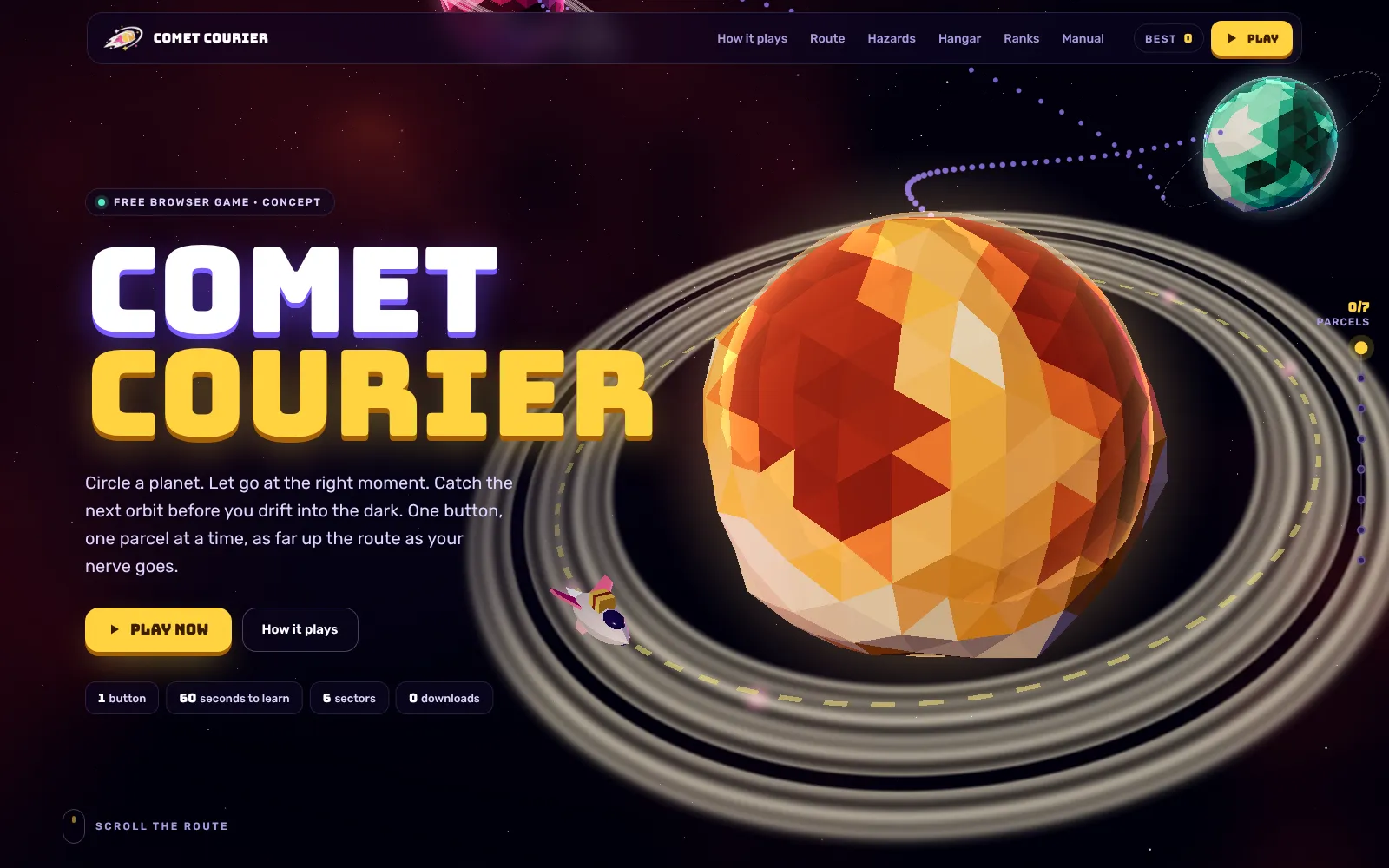
| Single-skill mini game | One mechanic, learned in a minute | Comet Courier, a one-button Lab concept | Lowest |
| Lesson-based learning world | A 3D hub where lessons, quizzes and quests live in places | Playwatch Academy’s Reading Island and Math Mountain | Moderate to high |
| Learning universe | Games, videos and stories in one app, with rewards for progress | DorisEdu Kids: 50+ educational games on a 20-region map | High |
| Life game with a learning layer | A world kids return to for fun, with learning built in | Happy English, set in the HappyTown farm-and-town world | High |
Why build for the browser instead of an app?
- No download. A link skips the app-install step entirely, which matters on school-managed devices where installs usually go through IT. Teachers can share it in a message or a class page.
- Any device, one codebase. MDN notes that progressive web apps run on multiple operating systems and device classes from a single codebase. WebGL 2, the graphics layer behind browser 3D, has been available across browsers since September 2021.
- Installable when you want it. Built as a progressive web app, the game can be installed with its own icon and, with a service worker, keep working offline.
- Instant updates. Fix a typo in a question and every student has it on the next load.
The trade-offs are real: heavy 3D strains older devices, browsers cap how much data a site can store, and you won’t be discovered in an app store by default. The first two are design problems, covered below; the third is a marketing one.
What makes an educational game actually teach?
Fun keeps kids in the game. These keep them learning:
One clear goal per round. “Get the robot to the star” beats “Practice sequencing”. On Lumio Learning, a Lab concept for an invented online school, the coding world has a five-by-five grid, a robot and five buttons: Forward, Left, Right, Undo and Run. Kids know what winning looks like before they start.
Feedback in the moment. Show right away what happened and why, then let the player try again. A wrong answer should teach, not just end the round.
Retrieval and spacing. A U.S. Institute of Education Sciences practice guide rates quizzing to re-expose students to key content as backed by strong evidence, and spacing review over time as moderate. Games can do both naturally: a boss level can quiz last week’s content, and a daily quest can bring back old words.
Pictures with words. The same guide recommends combining graphics with verbal descriptions. In Happy English, every one of more than 4,400 3D objects can be tapped to hear its name.
Worked examples, then practice. The guide also recommends alternating worked examples with problems to solve: show one solved step by step, then let the player solve the next.
Short sessions with a steady rhythm. Every Playwatch Academy lesson follows the same five steps: Watch, Read, Play, Do, Quiz, so kids always know what comes next.
A visible difficulty curve. Comet Courier publishes its own difficulty table: the chance of a rock in each gap rises from 25% at the start to a cap of 85%. Plan a learning game’s curve just as deliberately.
Rewards that point back to learning. Coins, markets, achievements and shops give players reasons to return, as in HappyTown’s village market and the achievements and shop in DorisEdu Kids. In a learning game, tie rewards to mastery rather than time spent.
Curriculum alignment: map every level to a standard
Teachers and districts adopt tools that fit the standards they already teach. Playwatch Academy is aligned to Head Start ELOF, Common Core, NGSS and CSTA, across 8 grade levels, 7 subjects and 1,680 lessons in 336 units.
At that scale, lessons can’t be built one scene at a time. What works:
- Start from a standards map. Standard, then lesson, then activity, then question bank, then assessment, in one spreadsheet the teaching team owns.
- Treat lessons as data. One game engine renders many lessons from structured content, so educators can add and fix questions without a developer.
- Report in teachers’ language. Show progress per standard or skill, not just minutes played. The parent dashboard on Lumio Learning shows progress per subject, earned badges and a note on what’s next.
Child privacy and COPPA basics for learning games
In the US, the FTC’s COPPA rule covers commercial websites and online services directed at children under 13 that collect personal information. That includes persistent identifiers, such as a cookie that recognizes a user over time. The FTC finalized amendments that took effect on June 23, 2025, with most compliance required by April 22, 2026. Among other things, they require separate parental consent before sharing children’s data with third parties, such as for targeted advertising, and limit how long data can be kept.
For school use, the FTC’s guidance says a school can consent on parents’ behalf when a service collects student information only for the school’s educational purpose, with no other commercial use. Schools also have duties under FERPA, which the U.S. Department of Education explains in its guidance on online educational services.
Design choices that lower the risk from the start:
- Offer guest play. HappyTown and Happy English both put a “try it without an account” button on their sign-in screens.
- Keep progress on the device when you can. Comet Courier keeps the best score, run count and chosen paint job only in the browser’s local storage: no accounts, no server, nothing leaves the device.
- Collect the minimum. A nickname and a class code instead of full names; no birthdays you don’t need.
- No open chat and no third-party ad trackers in anything aimed at young children.
This is a starting point, not legal advice. Have a privacy lawyer review the data flows before launch.
Accessibility for educational games
A WebGL canvas is a bitmap, and MDN notes that its contents are not exposed to accessibility tools. So keep instructions, questions and answer buttons in real HTML on top of the 3D. The Lumio coding puzzle uses ordinary buttons and announces each result to screen readers through a live region.
The Game Accessibility Guidelines, written by studios, specialists and academics, list basics that suit learning games well:
- Subtitles for all important speech, and separate volume controls for voice, effects and music
- No essential information conveyed by color alone, or by sound alone
- Large, well-spaced touch controls
- Simple, clear language and an easily readable default font size
- A wide choice of difficulty levels, with settings remembered
Two web rules to add: nothing should flash more than three times a second, and the game should respect the system’s reduced-motion setting. When that setting is on, Comet Courier drops its screen shake and most particle bursts.
The tech: three.js, WebGL and school devices
HappyTown and every concept in our Lab are built on three.js, a JavaScript 3D library released under the MIT License, so there’s no engine fee. A few habits keep 3D running on modest school hardware:
- Low-poly art built in code. Lumio’s planet-islands and Comet Courier’s planets are generated in the browser, with no model files to download.
- Adapt to the device. Comet Courier caps its rendering resolution, and when the browser draws 3D in software instead of on a graphics chip, it lowers resolution further and turns off antialiasing.
- A page that works without 3D. If WebGL is switched off, Comet Courier hides the 3D and keeps every word of the page readable.
- Every input. Comet Courier plays with a tap, a click, or the Space, Enter or Up arrow key.
- Lesson content loads first, with the 3D streaming in behind it. More in our guide to keeping 3D fast on phones.
How much does an educational browser game cost?
There is no honest single number, because “a learning game” can mean one mechanic or thousands of lessons. These are the drivers that move a quote:
- Content volume: lessons, questions, voice lines and translations. Often the biggest driver.
- Art direction: stylized low-poly art built in code costs less than custom characters and animation.
- Mechanics: each new kind of play needs design, code and testing.
- Accounts and reporting: synced progress and teacher or parent dashboards are application work.
- Multiplayer: co-op play, like the two-player chapters of our game Happy Duo, adds networking and testing.
- Languages and voice: bilingual content and recorded or synthesized audio for every line.
- Privacy and accessibility: consent flows, data deletion, captions and alternatives.
To control cost, launch one world or subject first, reuse one engine with lessons as data, start with guest play, and choose art built in code. Our 3D website cost guide explains the 3D side in more detail.
Checklist: before you commission a learning game
- Who plays: age, reading level and where (class, home or both)?
- Which devices: Chromebooks, iPads, phones, and how old?
- What is the learning goal of each level, and which standard does it map to?
- How long is one session, and how does the game end it gracefully?
- What data do you collect, why, where is it stored and when is it deleted?
- Who consents: parents, or the school for classroom use only?
- Which accessibility features ship at launch?
- What do teachers and parents see?
- How will you measure learning, not just playtime?
- Which real class will pilot it before launch?
We design and build browser games and learning worlds for schools, edtech companies and brands, from a single interactive lesson to a full curriculum world. Every project starts with a short call to scope it, and you see a concept before you commit. The build is fixed-price for the agreed scope, with a 50% deposit to start and the balance at launch.
Play our games and learning worlds in the game room, then tell us what your students should learn. We’ll start with a free concept, so you can see your world before you pay for it.
Frequently asked questions
What are educational browser games?
They are learning games that run inside a web browser, so students open a link and play on a laptop, Chromebook, tablet or phone without installing anything. They range from single-skill mini games to full 3D learning worlds with lessons, quizzes and progress tracking.
Are browser games safe for kids?
They can be, if they are designed that way. Safe learning games collect as little personal information as possible, offer guest play, avoid open chat and third-party ad trackers, and follow COPPA when they are directed at children under 13. Parents and schools should check the privacy policy before kids sign up.
Does COPPA apply to educational games?
COPPA applies to commercial websites and online services directed at children under 13, or that knowingly collect personal information from them. That includes many learning games. The FTC also allows schools to consent on parents' behalf when a service is used only for an educational purpose, not for other commercial uses. Have a privacy lawyer review your setup.
Can educational browser games work offline?
Yes. Built as a progressive web app, a browser game can be installed with its own icon and use a service worker to keep working without a connection. It can be installed straight from the browser, without an app store.
How much does it cost to make an educational browser game?
It depends mostly on how much content you need, the art style, whether players need accounts and synced progress, teacher or parent dashboards, multiplayer, and how many languages and voice lines are involved. Doris Studio scopes each project on a short call and shows a concept before you commit.
What is the difference between gamification and game-based learning?
Gamification adds game elements such as points, badges and streaks to ordinary lessons. Game-based learning makes the game itself the lesson: the skill is the thing the player does to win. Good learning worlds often combine both, with lessons inside the world and rewards for progress.
Sources
- Complying with COPPA: Frequently Asked Questions, Federal Trade Commission
- Children's Online Privacy Protection Rule, final amendments, Federal Register (April 22, 2025)
- FTC Finalizes Changes to Children's Privacy Rule Limiting Companies' Ability to Monetize Kids' Data, FTC
- Protecting Student Privacy While Using Online Educational Services, U.S. Department of Education
- Organizing Instruction and Study to Improve Student Learning (Pashler et al., 2007), IES What Works Clearinghouse
- WebGL2RenderingContext, MDN Web Docs
- What is a progressive web app?, MDN Web Docs
- three.js LICENSE (MIT), GitHub
- Game Accessibility Guidelines: Basic
- <canvas>: Accessibility, MDN Web Docs
- Understanding SC 2.3.1: Three Flashes or Below Threshold, W3C WAI
- prefers-reduced-motion, MDN Web Docs

Founder and creative director of Doris Studio. Doris designs and builds immersive 3D websites, brand sites, browser games and learning worlds for clients in the US and worldwide, and leads creative at SentryX. About Doris · See the Lab