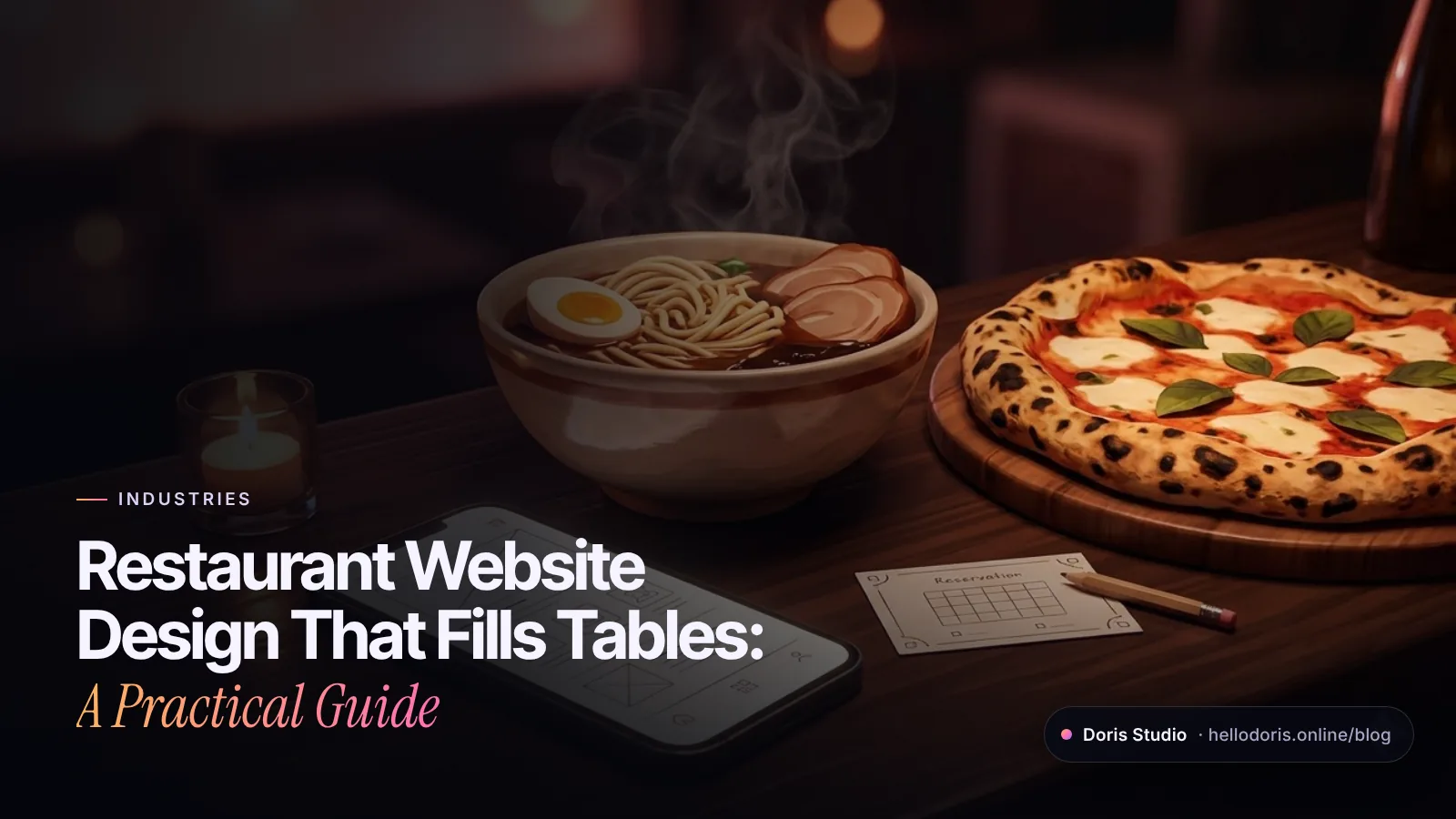
Good restaurant website design gets a hungry person from a search result to a booked table or a placed order in under a minute. Put four things where a phone user sees them right away: the menu as real text, today’s hours, the address with a map link, and one clear button to reserve or order. Then make the page load fast, show photos of your actual food, and keep your Google listing in sync with the site.
Everything else, 3D included, should make that choice easier. Below is what works across the food sites we’ve built at Doris Studio, including our own Doris Coffee House and DORISÉ Patisserie and Lab concepts for invented restaurants.
Key takeaways
- Diners come for four answers: what’s on the menu, are you open, where are you, and how do I book or order. Show all four on the first phone screen.
- Publish the menu as HTML text, not a PDF or a photo of the printed menu.
- Keep hours, address and menu identical on your site and your Google Business Profile.
- Hit Google’s “good” Core Web Vitals on phones: fast loading, quick taps, no jumping layout.
- 3D helps when guests build their own order or when atmosphere is the reason to come. It hurts when it stands between a guest and your hours.
What diners look for first on a restaurant website
Most visits are short and practical: choosing where to eat tonight, checking whether you’re open, finding the address on the way over. Design for those four top tasks first:
- The menu, with prices. People choose dishes and check the budget at the same time.
- Hours for today. “Open today 11 a.m.–11 p.m.” beats a seven-line grid the visitor has to decode.
- Where you are. Street address, a map link that opens directions, parking or transit notes, and a phone number that dials when tapped.
- One action. Reserve, join the waitlist or order pickup. Pick the main one and make it the button in the header of every page.
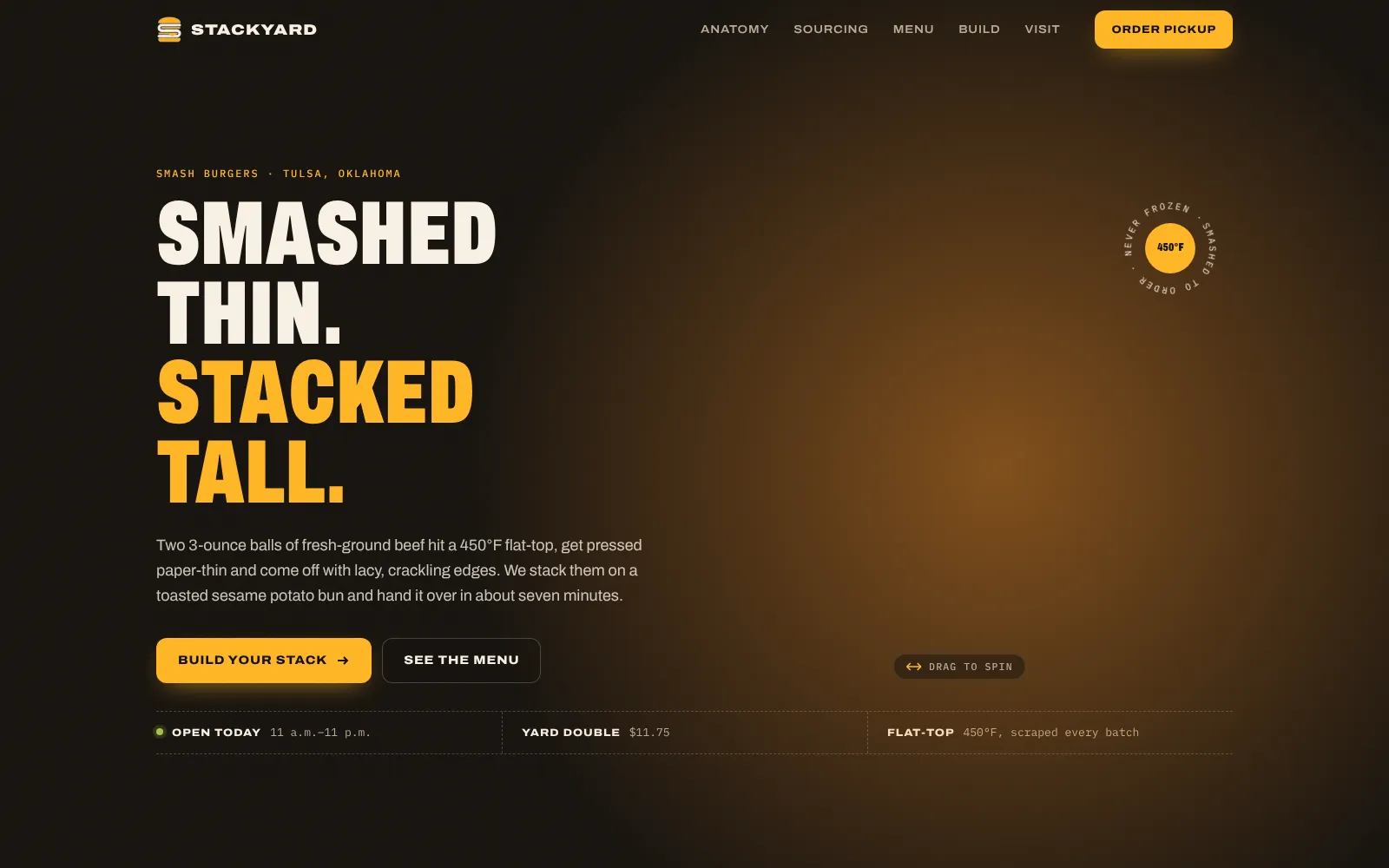
The Stackyard concept, a Lab site for an invented Tulsa burger counter, puts today’s hours and the house burger’s price in a strip under its hero and keeps “Order pickup” in the navigation. Each of its three concept locations gets its own hours and a live line such as “Open now · Downtown until 10 p.m.” Answer the practical question before anyone has to scroll for it.
The story, press, private dining and gift cards are what make someone pick you over the place next door. Put them below the practical answers, not in front of them.
Put your menu on the page as text, not a PDF
PDF menus are still common, and they are a poor fit for phones. Nielsen Norman Group’s usability research calls PDFs unfit for reading on screens: they are laid out for paper, so on a phone people pinch, zoom and scroll sideways to find a price. A photo of the printed menu is worse, because nobody can search it and screen readers can’t read it aloud.
An HTML menu fixes both problems and helps search. Google indexes the rendered HTML of a page (Google Search Central), so dishes written as text are content it can read. Google also says it may transcribe menu data from your website for your Business Profile (Google Business Profile Help), which works far better from clean text than from a scan.
How to structure a restaurant menu page
- One URL per menu (dinner, brunch, drinks), so you can link each one from Google and from your structured data.
- Section tabs (Starters, Mains, Drinks) that stay visible as you scroll on a phone.
- Name, short description and price for every item, with dietary tags (vegan, gluten-free, spicy) as text, not colored dots alone.
- An honest allergy note. The Blister & Basil concept says plainly that it doesn’t serve a gluten-free dough yet and invites guests to ask about allergies. One sentence answers a question people would otherwise phone in.
- Fees on the menu, not at checkout. The Ember & Oak concept states its service charge, and where the money goes, right under the menu. Disclosure rules for service charges differ by state, so check yours.
- Filters for long menus. DORISÉ Patisserie lets customers filter its 36+ signature items instead of scrolling one long list.
If you belong to a chain with 20 or more locations, federal calorie labeling applies, and the rule’s definition of a menu explicitly includes “menus on the Internet” (21 CFR 101.11). Plan calorie fields into the menu design from day one. And if caterers want a printable PDF, link to it from the HTML menu rather than making it the menu.
Food photos that make people hungry without slowing the page
Food photos sell when they show your real dishes in real light. A handful of strong shots beats a slideshow of thirty: the signature dish, the room, the cooks, one close-up with texture. Even our 3D-heavy concepts keep a photo section, because 3D explains a dish and photos show how it tastes.
Large images are also the usual reason restaurant sites feel slow:
- Serve the right size with responsive images (
srcset) and a modern format such as WebP. - Lazy-load below the fold, never the hero. Google’s web.dev guide says to use
loading="lazy"only for images outside the first screen, and especially not for the largest image in view (web.dev). - Give every image a width and height, so the browser reserves the space and the menu doesn’t jump while photos arrive.
Write descriptive alt text too: “Margherita with a leopard-spotted crust,” not “pizza1.jpg”.
Mobile speed and accessibility
Design as if every visitor is on a phone, on the sidewalk, with one bar of signal. Google’s Core Web Vitals set the bar: the largest content should appear within 2.5 seconds, the page should respond to a tap within 200 milliseconds, and layout shift should stay at 0.1 or less, measured at the 75th percentile of real visits (web.dev). The usual culprits are an autoplaying hero video, a PDF menu, embedded social feeds and booking widgets loading on pages that don’t need them.
The U.S. Department of Justice says the ADA applies to businesses open to the public, including what they offer on the web, and lists food and drink establishments among them (ADA.gov). In practice: a text menu, real buttons, enough contrast on dark designs, keyboard-friendly booking forms and nothing conveyed by color alone.
Local SEO for restaurants: Google Business Profile and schema
When someone searches “ramen near me,” Google says its local results are based mainly on relevance, distance and prominence (Google Business Profile Help). You can’t move closer to the searcher, so work on the other two. Google says complete, accurate profiles are more likely to appear, that reviews and links from other websites feed prominence, and that you can’t pay for a better ranking. What to do:
- Complete your Google Business Profile: category, hours, holiday hours, photos, attributes and a menu link pointing at your HTML menu page. Restaurants can also take bookings or waitlist sign-ups through Reserve with Google and, in some countries, show online ordering through partners (Google).
- Keep every listing in sync. Site, Google, delivery apps and social bios should show the same hours and address; change holiday hours everywhere on the same day.
- Give each location its own page with its address, hours, phone number and map.
- Add structured data. Google recommends the most specific LocalBusiness type, such as
Restaurant.nameandaddressare required;openingHoursSpecification,servesCuisine,telephone,priceRangeandmenuare recommended (Google Search Central). Schema.org also definesacceptsReservationsandhasMenufor food establishments (Schema.org). - Reply to reviews, good and bad. Google says it shows you value feedback.
Reservations and online ordering that keep guests on your site
Every extra step between “I want to eat here” and a confirmed table can lose a guest. Patterns that work:
- A book or order button in the header of every page, linked straight to the booking step, not to a contact page.
- Explain walk-ins and waits. The Ninth Bowl concept, a nine-seat ramen counter, splits booking into “Walk in” (six stools, a list that opens at 4:30 pm, the typical wait) and “Book ahead” (three stools per seating, up to 14 days out).
- Sell private dining with numbers. The Ember & Oak concept lists each space with its capacity and its per-guest price or minimum spend, so a party planner can shortlist before writing in.
- Keep pickup ordering short. Stackyard’s form asks for a name, a pickup counter and a time, then shows the total before tax. The Slowpearl concept’s order-ahead form carries over the drink you just built.
- State lead times for special orders. DORISÉ Patisserie tells customers up front that custom cakes take 48 hours and that same-day city delivery is available.
- Make booking part of the brand. Doris Coffee House pairs its dark, editorial look with table booking in the header.
When interactive 3D helps a restaurant website, and when it gets in the way
3D is not a default for restaurants. It earns its place when:
- Guests build their own order. On Ninth Bowl you tap a broth and it pours into a real-time bowl, toppings drop in as you scroll, and the build-your-bowl panel keeps a running ticket. On Blister & Basil you pick a base, toppings and char level, the pie changes live, and “Add to pickup order” sends it to the order form. The configurator is the order builder, not decoration.
- The process is the selling point. Blister & Basil’s scroll rewinds 72 hours of cold-fermented dough, then bakes the pie against a 90-second oven timer. A menu line can’t tell that story.
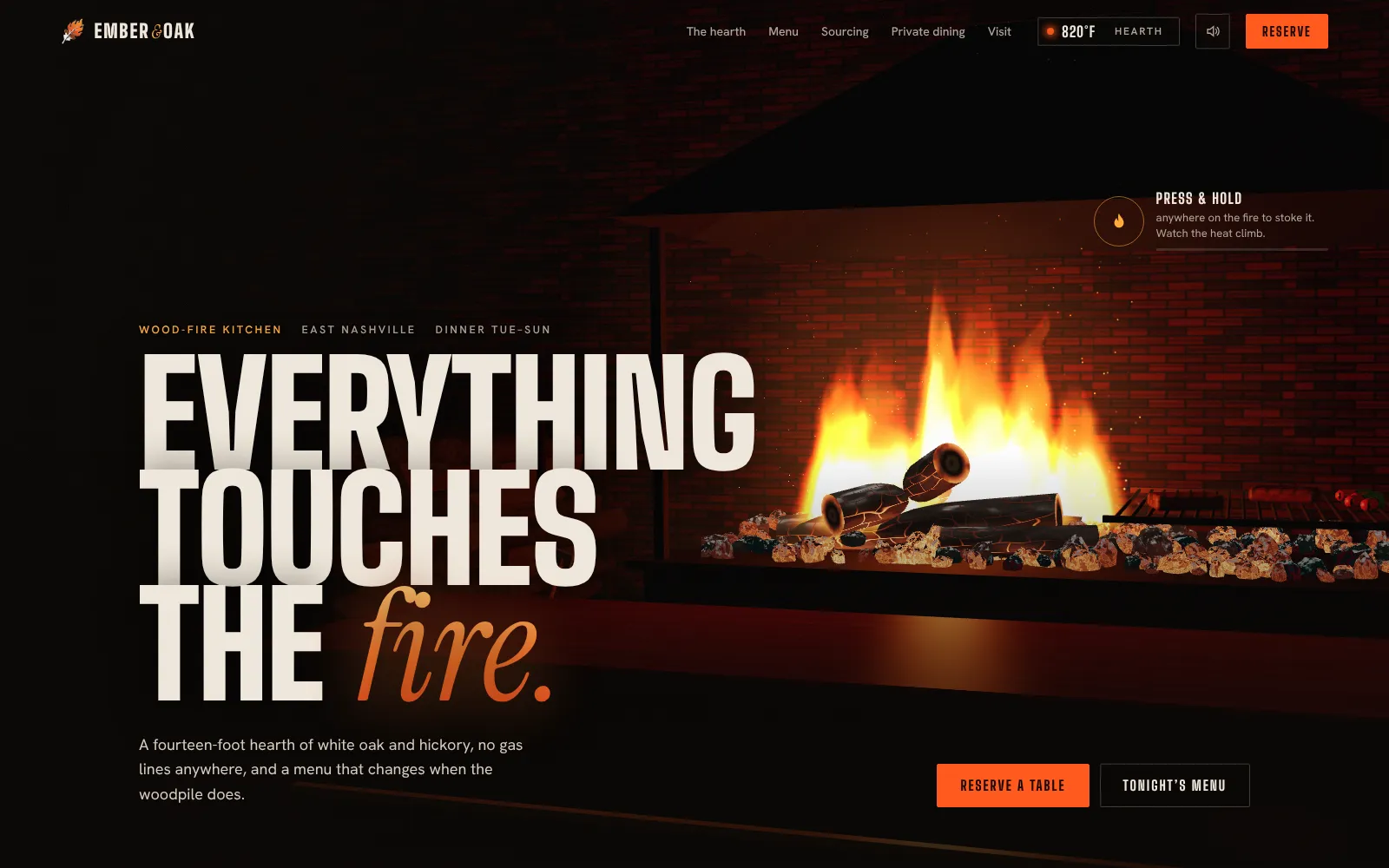
- Atmosphere is why people come. Ember & Oak opens on a real-time wood fire that you press and hold to stoke, then the camera glides down the chef’s counter to each course.
- A signature object carries the brand. Doris Coffee House uses floating 3D coffee beans and a draggable bean collection to make a specialty café feel premium.
It gets in the way when:
- an intro or loading animation stands between the guest and your hours;
- menu text or prices are painted inside the 3D canvas, where search engines and screen readers can’t read them;
- it replaces photos of the real food;
- the scene is heavy enough to stall a mid-range phone on cellular data.
How we keep food scenes light: the bowls, pies, burgers and cups in these concepts are generated in code with three.js, so there are no large model files to download. The pixel ratio is capped, Blister & Basil lowers its resolution automatically when frames run slow, and every button, price and form is ordinary HTML outside the canvas, so the page still works without WebGL. The full playbook is in how we keep 3D websites fast on phones.
| Clean 2D restaurant site | 2D site with a 3D moment | 3D configurator site | |
|---|---|---|---|
| Best for | Neighborhood spots, multi-location groups, menus that change daily | A signature dish, room or brand object | Build-your-own menus: bowls, pizza, burgers, drinks |
| Main risk | Looking like every other place | A hero that loads before the hours do | Slow phones if it isn’t engineered for speed |
| Our examples | DORISÉ Patisserie | Doris Coffee House | Ninth Bowl, Blister & Basil, Stackyard, Slowpearl (concepts) |
Not sure 3D fits? Start with a fast 2D website and add a 3D moment later.
Restaurant website checklist
First screen (phone)
- Menu link, today’s hours, address and one reserve or order button
- Tap-to-call phone number and a map link that opens directions
Menu
- HTML text, one URL per menu, every item priced
- Dietary tags as text, an allergy note, any service charge shown
- Calorie fields if you are a chain with 20 or more locations
Search
- Google Business Profile complete, with menu link and holiday hours
- Same hours and address on every listing, one page per location
Restaurantstructured data with address, hours, cuisine and menu URL
Speed and access
- Real photos sized for phones; hero image not lazy-loaded
- Core Web Vitals in the “good” range on mobile
- Forms that work with a keyboard, readable contrast, descriptive alt text
Booking and ordering
- Booking and pickup flows tested on a phone from start to finish
- Walk-in policy, private dining capacities and special-order lead times stated
- Any 3D loads after the text and has a fallback
Where to start
If your site is slow, built around a PDF or out of sync with Google, a redesign fixes most of it. For food brands that want the site to feel like the room, our brand and e-commerce websites service covers menus, table booking, ordering and 3D product stories. Modern 2D packages start at $500, and every 3D project is quoted after a short call.
Want to see your restaurant’s new site before you pay for it? Tell us about your place and we’ll send you a free concept first.
Frequently asked questions
What should a restaurant website include?
At minimum: your menu as text with prices, today's hours, your address with a map link, a tap-to-call phone number, and one clear button to reserve or order. After that come photos of your real food, a short story about the place, private dining or events, and gift cards. Put the practical answers first on the phone layout and the persuasion below them.
Should a restaurant menu be a PDF?
Not as your main menu. PDFs are laid out for paper, so on a phone people have to pinch and zoom to read a price. Publish the menu as an HTML page and, if caterers or event planners want a printable version, link to a PDF from that page.
Does my restaurant need a website if it has a Google Business Profile and Instagram?
Yes, if you want control over how you're found and booked. Your Google Business Profile can link to your menu page and take bookings, but your website is where you own the menu, the story, private dining details and your preferred ordering option. Google also counts links from other websites toward local prominence, and those links need somewhere to point.
How do I get my restaurant to show up on Google Maps?
Claim and complete your Google Business Profile with the right category, accurate hours, holiday hours, photos and a menu link, and keep those details identical on your website. Google says local results depend mainly on relevance, distance and prominence, and that reviews and links from other sites feed prominence. You can't pay for a better local ranking.
Is a 3D website worth it for a restaurant?
Sometimes. It earns its cost when guests build their own order, such as bowls, pizzas, burgers or bubble tea, or when atmosphere is the reason to come. For a neighborhood spot where regulars mostly check hours, a fast 2D site with great photos is usually the better spend.
How much does a restaurant website cost?
It depends on how many pages, locations and integrations you need, and whether you want 3D. At Doris Studio, modern 2D website packages start at $500, 3D projects are quoted after a short call, and you see a free concept before you commit.
Sources
- PDF: Still Unfit for Human Consumption, 20 Years Later, Nielsen Norman Group
- Understand the JavaScript SEO basics, Google Search Central
- About the menu editor, Google Business Profile Help
- Tips to improve your local ranking on Google, Google Business Profile Help
- Restaurant Solutions: Menu & Presence, Google Business Profile
- Local business (LocalBusiness) structured data, Google Search Central
- FoodEstablishment, Schema.org
- 21 CFR 101.11, Nutrition labeling of standard menu items in covered establishments, Legal Information Institute
- Browser-level image lazy loading for the web, web.dev
- Web Vitals, web.dev
- Guidance on Web Accessibility and the ADA, U.S. Department of Justice

Founder and creative director of Doris Studio. Doris designs and builds immersive 3D websites, brand sites, browser games and learning worlds for clients in the US and worldwide, and leads creative at SentryX. About Doris · See the Lab