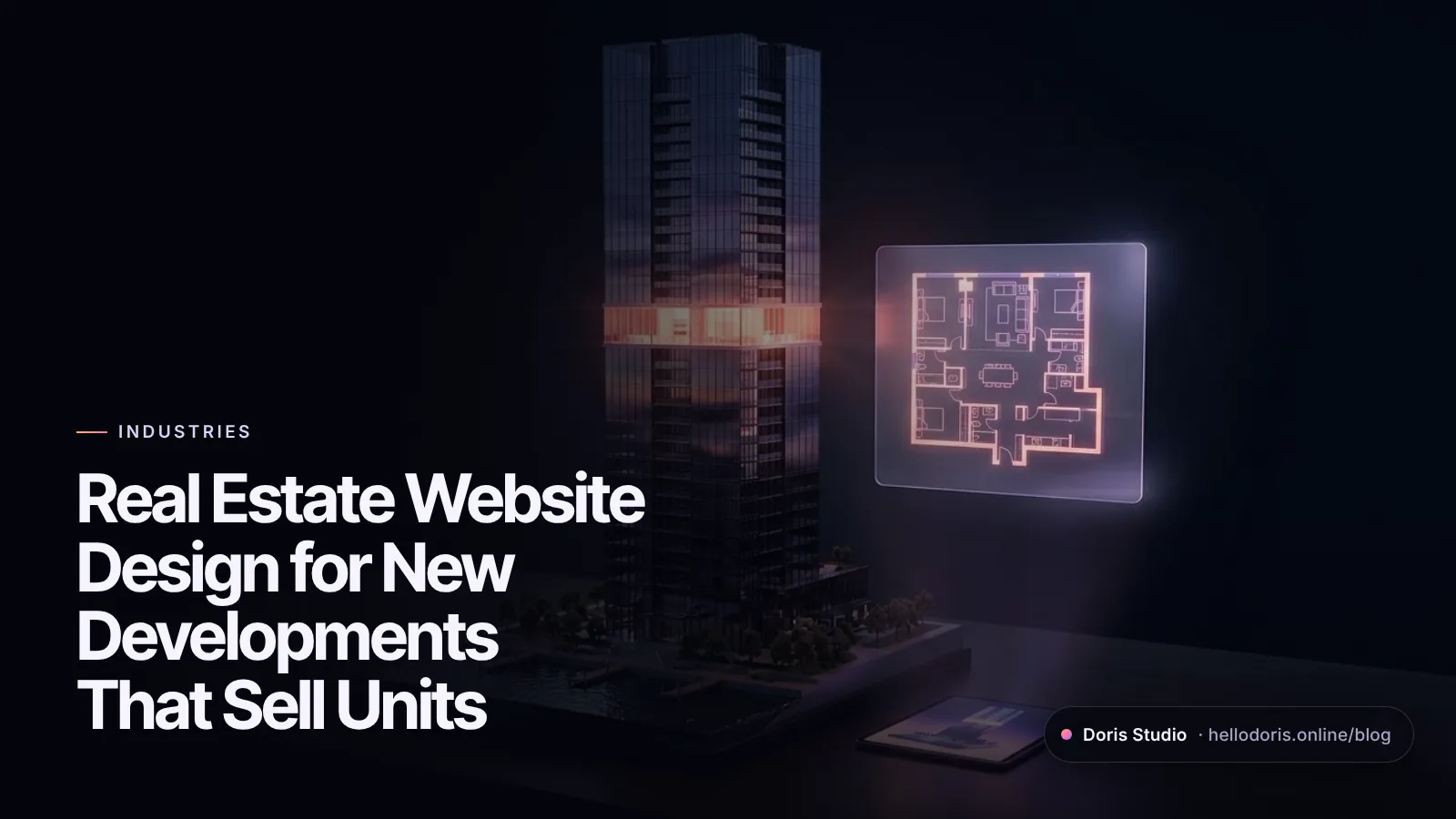
Real estate website design for a new development has one job: help buyers picture a home that isn’t built yet, then choose one and ask for a viewing. The sites that do it well lead with the building and its location, let buyers browse residences by floor and floor plan, show availability and starting prices openly, and keep the inquiry form short. 3D helps most before construction is finished; renders and virtual tours each cover a different part of the job.
This guide is for developers, sales directors and marketers launching condos, townhome communities and luxury residences. It draws on Aurelia Residences, a concept site we built at Doris Studio for an invented 50-story tower in Miami, and two other Lab concepts for hospitality and architecture. The tower, prices and availability on Aurelia are fictional; the patterns are the point.
Key takeaways
- Put the numbers buyers scan for on the first screen: residences, bedroom range, starting price, completion date.
- Let buyers narrow by collection, floor, bedrooms and price, and connect each floor plan to its place in the building.
- Show starting prices and availability. Hidden prices send serious buyers elsewhere.
- Keep every word, plan detail and price in HTML, not inside images or a 3D canvas.
- Have counsel review the site before launch: fair housing rules apply to all housing ads, and some states restrict pre-launch marketing.
What a real estate development website has to do
A resale listing sells a home people can walk through. A new development sells a floor plate, a view and a promise, often to buyers in another city or country, so the website becomes a sales gallery that never closes.
That gives it four jobs:
- Explain the building and the place. What it is, where it is, why it is different, when it will be finished.
- Help buyers narrow down. From the whole tower to a collection, a floor plan and a floor.
- Prove it is real. Developer, architect, timeline, deposit schedule, construction progress.
- Turn interest into a qualified lead your sales team can follow up on the same day.
The site also changes over the project’s life: a teaser collects registrations before launch, the launch site carries inventory and pricing, construction adds progress updates, and after sellout it becomes a portfolio piece for the next project.
The sections every new development website needs
Aurelia Residences is built in the order a buyer asks questions. Use it as a checklist for your own site map:
- First screen. A headline, one sentence on what the building is, and four numbers: 92 residences, 2 to 5 bedrooms, priced from $2.4M, 12 marina slips. Above them, the location and “Completion 2028.”
- The building. Height, residences per floor, ceiling heights, terrace depth, hurricane-rated glass, written as text rather than baked into an image.
- Residences by collection. Three collections stacked by floor (Bay, Sky, Penthouses), each with its floor range, bedrooms, interior square footage, number of homes and starting price. As you browse, that collection’s floors light up on the 3D tower.
- Floor plans. A picker, covered in the next section.
- Amenities by level. Choose the marina, pool deck, spa, sky lounge or rooftop pool and the tower shows which level it is on.
- Neighborhood. An aerial night map with pins and typical door-to-door times, with a toggle between travel by car and by water.
- Pricing and availability. A table of residence types with interior size, floors, starting price and units left in the current release, plus the deposit schedule.
- FAQ. Completion timeline, rental policy, pets.
- Private preview. A short inquiry form.
Not every real estate company needs this. For a private real estate investment firm that sells trust rather than units, we built Mercuria Partners as a quiet editorial site with partner profiles and the firm’s deal principles; you’ll find it among our 2D websites.
Floor-plan pickers that help buyers choose
Filter by what buyers actually ask. Bedrooms, price, floor range, view or orientation, outdoor space and availability. Show how many plans match each filter, so nobody hits an empty result.
Draw plans as vectors and repeat the numbers in text. Aurelia draws each plan as an SVG that stays sharp when zoomed, with a north arrow and an “illustrative plan” label, and lists bedrooms, baths, square footage and ceiling height beside it as text. Floor plans are complex images, and the W3C’s accessibility tutorial says complex images need a two-part text alternative: a short description plus a text version of the essential information (W3C WAI). A room list with dimensions does that job and is indexable too.
Tie the plan to the building. On Aurelia, a floor slider moves you up the tower. The “priced from” figure updates for that floor, and so does a line describing the view, from “Marina and palm canopy” low down to “All four sides: bay, ocean and city” near the top. A finish toggle switches the plan between two interior palettes.
Carry the choice into the inquiry. When a buyer taps “Inquire” from the picker, Aurelia pre-fills the form with the residence and floor and selects the matching collection. The sales team gets “Residence 2A, floor 12” instead of “please send info.”
Don’t gate the basics. If you ask for an email, ask for it in exchange for the full brochure or a private preview, not for a floor plan a buyer needs to decide whether to call you.
Should you show prices and availability?
In most launch phases, yes. Nielsen Norman Group’s usability research found that when sites hide prices, people go to competitors that show them, and that ranges or sample prices work when exact prices vary (Nielsen Norman Group). That study looked at business buyers, but the logic carries over to anyone budgeting for a large purchase.
Ways to be open without publishing a full price list:
- Starting prices per collection and per floor plan.
- Availability counts, such as “12 of 34,” rather than a live unit-by-unit grid if you’d rather not show which units are gone.
- Phases. Aurelia says plainly that 37 of 92 residences are in the current release and that prices step up every ten floors and with each phase.
- The deposit schedule, step by step, until closing.
Whatever you show has to be current: a unit marked available that sold last month costs more trust than no availability at all. Connect the table to your inventory source or update it weekly, and keep it an HTML table, not an image, so search engines and screen readers can read it.
3D towers vs. renders vs. virtual tours
Each format answers a different buyer question. Most launches need two or three of them.
| Still renders | Video flythrough | 360° virtual tour | Real-time 3D building | |
|---|---|---|---|---|
| Answers | “What will it look like?” | “What is it like to arrive?” | “What is it like inside this home?” | “Which floor, which home, what’s left?” |
| Available when | Early, from the architect’s visualization | Early, once the 3D model exists | When a model residence is finished or fully modeled | Early, from massing and plans |
| Interactive | No | No | Yes, inside one space | Yes, across the whole building |
| Connects to inventory | No | No | Rarely | Yes: floors, plans, prices, availability |
| Watch out for | Rooms nobody can find on a plan | Heavy files, autoplay | Only as good as the model unit | Must be engineered for phones |
A pattern that works: a real-time 3D building to explain the tower and help buyers choose, renders for interiors and lifestyle, and a virtual tour once a model residence or sales gallery opens.
On Aurelia the tower is drawn live in the browser from code. Each terrace slab turns 0.7° from the one below, there are no model files to download, the pixel ratio is capped lower on phones, rendering pauses when the tab is hidden, and all the residences, prices and forms are HTML beside the canvas. Our 3D website design service covers how we build scenes like this.
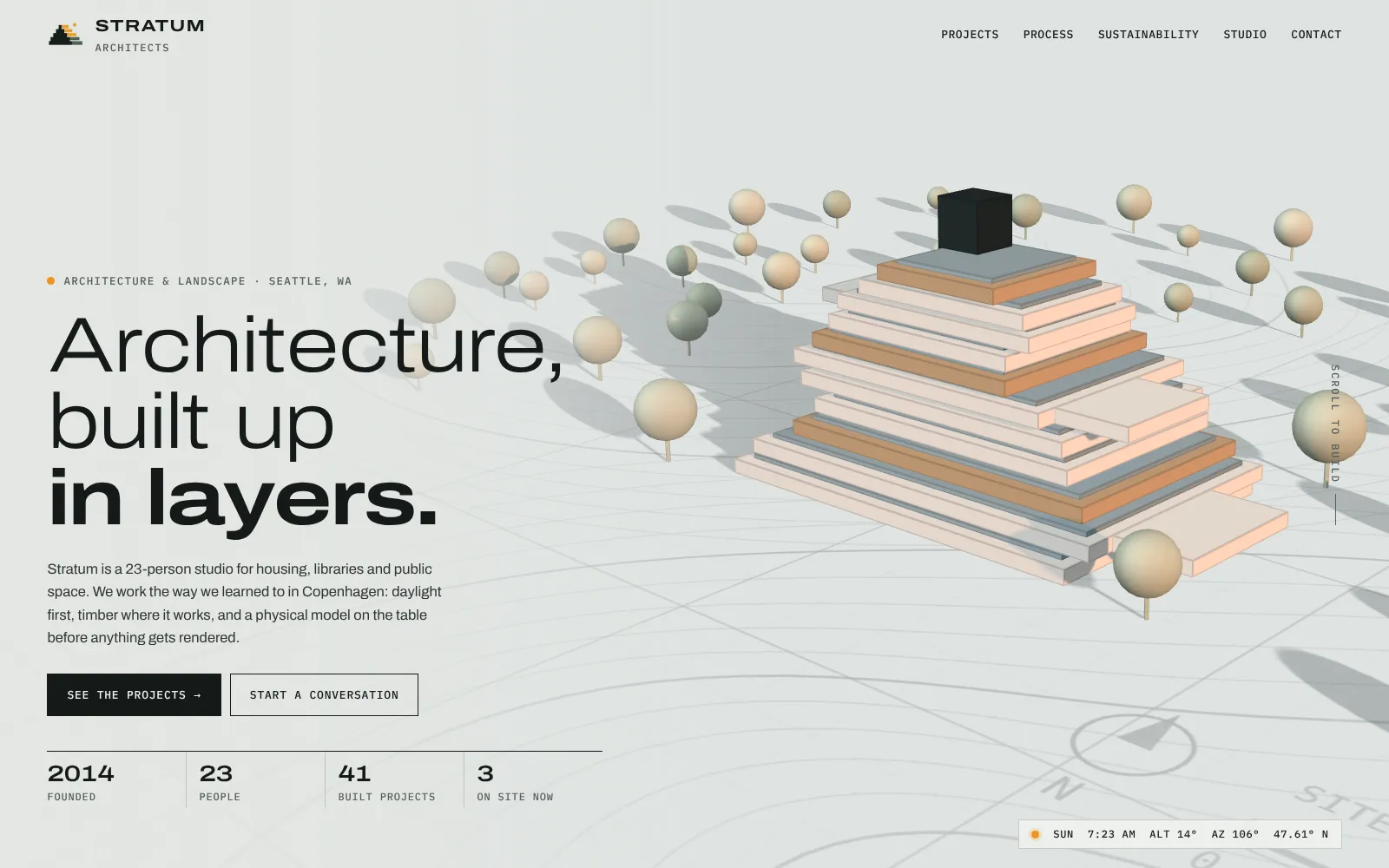
The same approach works beyond condo towers. For architecture and planning, the Stratum Architects concept builds massing models block by block as you scroll and lets visitors drag the sun across a courtyard at Seattle’s latitude while a readout shows how much of it is in sun. A developer could use the same study to show which homes get afternoon light.
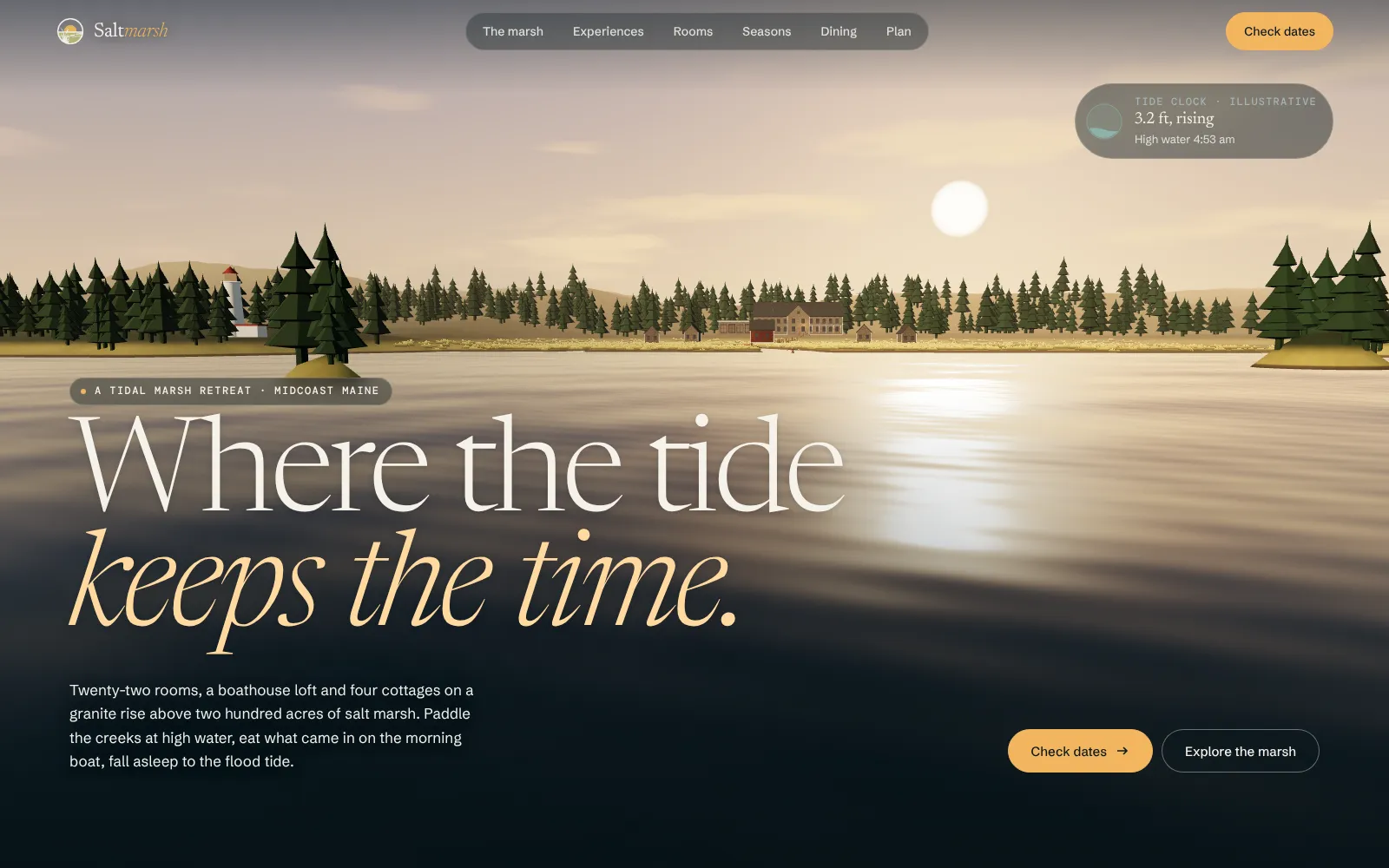
For hospitality and resort residences, the Saltmarsh Retreat concept, an invented hotel in Maine, lights up the room type you pick on the lodge, lets you drag the tide to flood the marsh and switches the landscape between four seasons.
Keep it fast on a phone
Buyers open your link from an ad, a broker’s text or a QR code at the sales gallery. Google’s “good” Core Web Vitals are the target: the largest content within 2.5 seconds, a response to taps within 200 milliseconds, and layout shift of 0.1 or less, at the 75th percentile of real visits (web.dev).
What usually breaks it on development sites: an autoplaying hero video, full-resolution renders served to phones, a gallery that loads every image up front, and a 3D scene that blocks the headline. Load the words and the first image first, then the 3D. Keep text out of the canvas, because Google indexes the rendered HTML and can’t read words drawn as pixels (Google Search Central). Our guide to keeping 3D websites fast has the full technique list.
Lead capture your sales team can work with
Nielsen Norman Group’s first recommendation for web forms is to keep them short, cutting any field you can collect later and limiting optional fields to one or two (Nielsen Norman Group). For a development inquiry that means:
- Name and email required; phone optional.
- One question that routes the lead: the collection or budget they’re interested in.
- One question about timing. Aurelia asks “This year,” “In 1–2 years” or “Just exploring.”
- Whether they work with a broker, if your commission policy depends on it.
- A message box, pre-filled from whatever they were looking at.
Send the lead to your CRM with the page and campaign it came from, and show a thank-you screen that says what happens next. If your team will call or text web leads, have counsel review the consent wording on the form.
Compliance notes for development marketing
This is not legal advice, but these are the issues to raise with your counsel before launch:
- Fair housing. The Fair Housing Act makes it unlawful to publish any advertisement for the sale or rental of a dwelling that indicates a preference, limitation or discrimination based on race, color, religion, sex, handicap, familial status or national origin (42 U.S.C. § 3604(c)). Describe the property, not the buyer you imagine for it, in copy, photos and ad targeting.
- Pre-launch rules. Some states regulate marketing before units can legally be sold. In New York, for example, a condo sponsor may test the market before its offering plan is accepted for filing only after the Attorney General accepts a CPS-1 application; ads must be submitted at least five business days before use, and no reservations or deposits may be accepted (NY Attorney General, CPS-1). A “reserve your residence” button on that teaser site would be a problem.
- Disclaimers. Label renderings and plans as illustrative and say that prices and availability can change. Aurelia’s pricing section carries its own note that it is a concept and not an offer to sell.
- Accessibility. The Department of Justice says the ADA applies to businesses open to the public, including what they offer online (ADA.gov). Text alternatives for plans and maps, keyboard-friendly pickers and readable contrast on dark, glossy designs are the usual gaps.
Real estate development website checklist
Content
- Residences, bedroom range, starting price and completion date on the first screen
- Collections by floor with sizes, number of homes and starting prices
- Floor plans as vectors, with sizes and room lists in text
- Amenities, neighborhood map and travel times
- Pricing, availability and deposit schedule in an HTML table
- Developer, architect, timeline and construction updates
Conversion
- Floor-plan picker that pre-fills the inquiry form
- Short form, sent to the CRM with source and campaign
- Thank-you screen with next steps
Risk and speed
- Fair housing review of copy, images and ad targeting
- State pre-launch rules checked; disclaimers on plans, renders and prices
- Core Web Vitals “good” on mobile; 3D loads after the text
Plan your development site
For scope and pricing drivers, read how much a 3D website costs, and browse more 3D website examples by industry. Every 3D project at Doris Studio is quoted after a short call, with fixed pricing, a 50% deposit and the balance at launch.
Want to see your development as a website before you commit? Send us the plans and renders and we’ll build you a free concept first.
Frequently asked questions
What should a real estate development website include?
The building and its story, residences grouped by collection or floor, floor plans with sizes as text, amenities, the neighborhood with travel times, pricing and availability, the team and timeline, and a short inquiry form. On the first screen, show the handful of numbers buyers scan for: number of residences, bedroom range, starting price and completion date.
Should a new development website show prices?
In most launch phases, yes, at least as starting prices per collection or floor plan. Nielsen Norman Group's research found that people who can't find prices go to competitors, and it recommends price ranges or sample prices when exact prices vary. A teaser site before launch, or a market where the regulator restricts pre-launch marketing, may be the exception.
Is a 3D model better than a virtual tour for pre-construction?
They do different jobs. A real-time 3D model of the building helps buyers understand the tower, choose a floor and see what is available before anything is built. A 360-degree virtual tour needs a finished model residence or a fully modeled interior, so it usually comes later, once the sales gallery or show unit opens.
How much does a real estate development website cost?
It depends on the number of residences and floor plans, the integrations with your inventory and CRM, languages, and whether you want a real-time 3D building. At Doris Studio, every 3D project is quoted after a short call, modern 2D website packages start at $500, and you see a free concept first.
Do I need a separate website for each development?
Usually yes for a major project, because each development has its own buyers, brand, inventory and sales timeline, and a dedicated site can be built around them. Keep a developer site that lists every project and links to each one, so the company's track record supports every launch.
Can Google index a 3D real estate website?
Yes, if the words are real HTML. Google indexes the rendered HTML of a page, so residence names, floor plans, prices, amenities and FAQs should sit in normal text next to the 3D scene. Anything drawn only inside the 3D canvas is invisible to search.
Sources
- Fair Housing Act, 42 U.S.C. § 3604, Legal Information Institute
- Cooperative Policy Statement #1 (CPS-1), New York State Office of the Attorney General
- Pricing Information Gives B2B Sites a Competitive Advantage, Nielsen Norman Group
- Website Forms Usability: Top 10 Recommendations, Nielsen Norman Group
- Complex Images, W3C Web Accessibility Initiative
- Guidance on Web Accessibility and the ADA, U.S. Department of Justice
- Web Vitals, web.dev
- Understand the JavaScript SEO basics, Google Search Central

Founder and creative director of Doris Studio. Doris designs and builds immersive 3D websites, brand sites, browser games and learning worlds for clients in the US and worldwide, and leads creative at SentryX. About Doris · See the Lab